
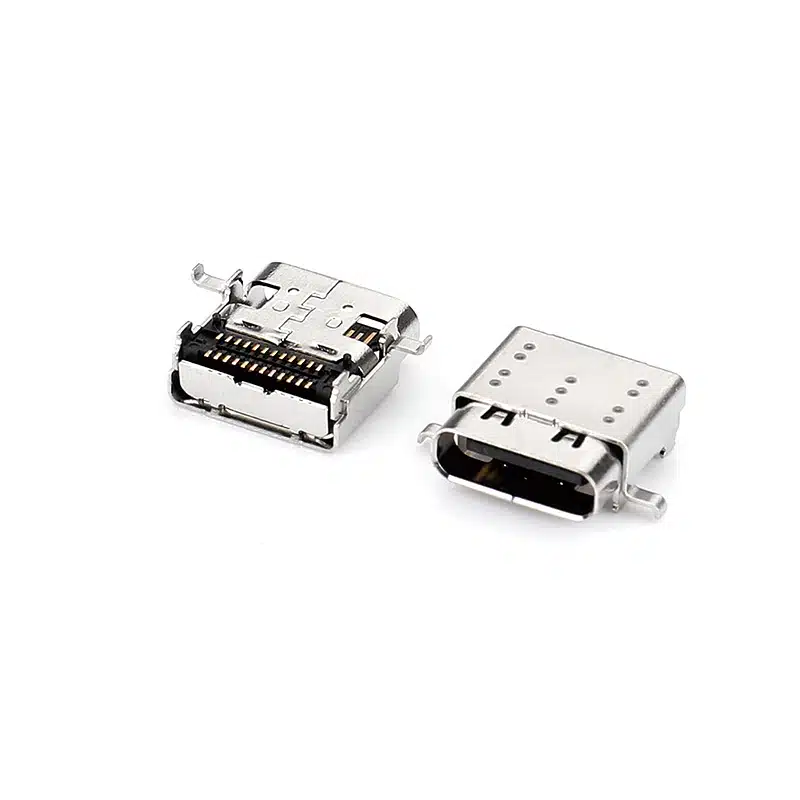
USB C Connector SMT 24 Pin — Right-Angle USB-C Receptacle, CL=1.57mm L=9.17mm, USB-TC24-F22
The USB-TC24-F22 is a 24-pin right-angle USB Type-C female receptacle with SMT mounting, rated for USB 3.2 Gen 2 (10Gbps), 5A / 30V DC and 10,000 mating cycles. CL=1.57mm, L=9.17mm. Supplied in tape & reel for automated assembly.
Product Overview of USB C connector smt 24pin
The USB-TC24-F22 is a right-angle USB Type-C female receptacle with SMT mounting, for devices that need compact PCB integration, 10Gbps data and USB Power Delivery charging. It has a CL of 1.57mm and a body length of L=9.17mm, with compact side ears.
It uses the full 24-pin Type-C layout with reversible insertion: SuperSpeed TX/RX pairs for USB 3.2 Gen 2 at 10Gbps, dual CC channels, SBU pins and VBUS/GND. VBUS is rated 5A at 30V DC, which supports up to 100W (20V / 5A) with a compatible PD controller. Gold-plated copper alloy contacts provide stable conductivity, and the stainless steel shell provides mechanical retention and EMI shielding. The housing is high-temperature LCP, and the connector is rated for 10,000 mating cycles.
USB-TC24-F22 shares its CL and length with USB-TC24-F21 (wide-ear version) but has a different shell and mounting-ear design, so check both 2D drawings before choosing. For 24-pin signal assignment, see our USB-C Female Connector Pinout Guide and USB Type-C 24 Pin Connector Guide. For official standards, see USB-IF and the USB Type-C specification.
Technical Specifications
| Parameter | Specification |
|---|---|
| Product Name | USB C Connector SMT 24 Pin |
| Part Number | USB-TC24-F22 |
| Connector Type | USB Type-C Female Receptacle |
| Pin Count | 24 Pins |
| USB Standard | USB 3.2 Gen 2 (formerly USB 3.1 Gen 2) |
| Mounting Type | SMT / Surface Mount |
| Orientation | Right Angle |
| Centerline (CL) | 1.57 mm |
| Length (L) | 9.17 mm |
| Data Transfer Speed | Up to 10Gbps |
| Current Rating | 5A |
| Voltage Rating | 30V DC |
| Contact Material | Copper Alloy |
| Contact Plating | Gold Plated |
| Housing Material | High Temperature LCP |
| Shell Material | Stainless Steel |
| Mating Cycles | 10,000 Cycles |
| Operating Temperature | -25°C to +85°C |
| Packaging | Tape & Reel |
| Compliance | RoHS & REACH |
Specifications are for reference. Please confirm against the latest datasheet before design-in, or contact our engineers.
Key Features
Applications
USB-TC24-F22 vs USB-TC24-F21
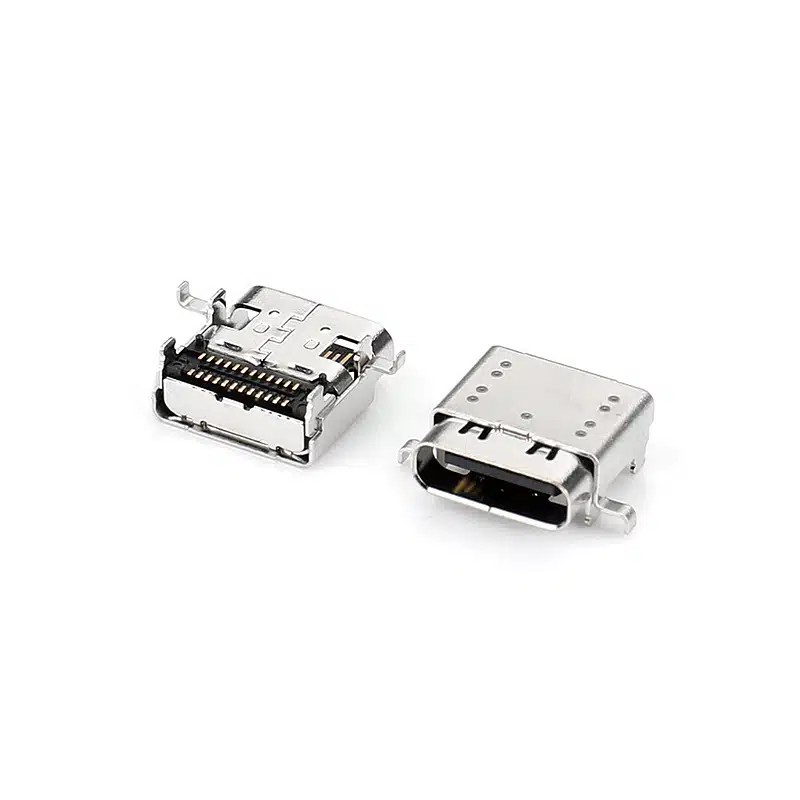
USB-TC24-F22 and USB-TC24-F21 are two separate 24-pin USB Type-C receptacles with the same CL (1.57mm), body length (9.17mm) and electrical ratings. They differ in shell and mounting-ear design. Compare the 2D drawings of both parts before choosing.
| USB-TC24-F22(本页) | USB-TC24-F21 | |
|---|---|---|
| Mounting | Right-angle SMT | Horizontal SMT (90°) |
| CL / L | 1.57mm / 9.17mm | 1.57mm / 9.17mm |
| USB standard | USB 3.2 Gen 2 (10Gbps) | USB 3.2 Gen 2 (10Gbps) |
| Rating | 5A / 30V DC | 5A / 30V DC |
| Mounting ears | Compact side ears | Wider wing-shaped side ears |
| Top plate | Dimples spread across the plate | Dimples along both sides |
Frequently Asked Questions
What is the difference between USB-TC24-F22 and USB-TC24-F21?
Both are 24-pin right-angle USB Type-C receptacles with the same CL (1.57mm), length (L=9.17mm), 5A / 30V DC rating and USB 3.2 Gen 2 (10Gbps) speed. F22 has compact side ears and a top plate with evenly spread dimples, while F21 has wider wing-shaped side ears and dimples along both sides. Footprints and tab positions may differ, so please check both 2D drawings before switching between the two.
What do CL and L mean in this part?
L is the body length of the connector (9.17mm). CL is the height of the connector’s centerline above the PCB surface — the vertical distance from the board to the center of the port opening. Both are shown on the 2D drawing. Email sales@vistarelectronics.com for 2D drawings, 3D STEP models and PCB footprints.
Can this connector support USB Power Delivery charging?
VBUS is rated 5A at 30V DC, which supports up to 100W (20V / 5A) with a compatible PD controller. PD negotiation is handled by the controller on your board, not by the connector. It does not cover 48V extended-power designs.
What is the maximum data rate?
USB 3.2 Gen 2 (formerly USB 3.1 Gen 2), up to 10Gbps. Actual link speed depends on your host controller, cable and PCB layout.
What is the difference between this and a USB4 24-pin connector?
This part is specified for USB 3.2 Gen 2 (10Gbps). For USB4 designs, see USB-TC24-F25.
Can I get free samples?
Yes. Free samples are available for qualified engineering and product development projects. Contact sales@vistarelectronics.com with your company details, project description and part number (USB-TC24-F22).

Mid Mount USB C Connector — 24 Pin Double Shell, L=8.65mm, CL=0.32mm for Ultra-Thin PCBs
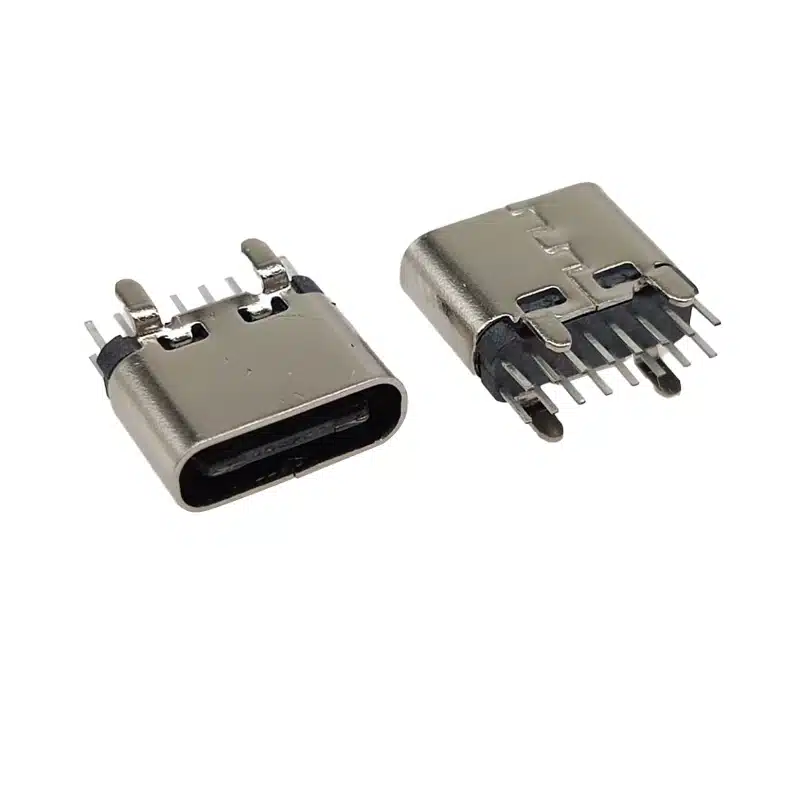
Best USB C 16 Pin DIP Vertical Connector | 3A Through-Hole Type-C Female H=6.5mm | USB-TC16-F09

16 Pin USB 3.1 C-Type Receptacle SMT – Top-Mount 5A High-Current USB-C Connector for Fast Charging Designs

USB-TC24-F24 — 24 Pin USB4 Mid-Mount USB-C Receptacle (Sinking), CL=0.5mm L=8.21mm, 40Gbps

USB4 Female Type c USB connector 24 Pin mid-mount SMT CL=0.5mm L=8.17mm

USB C Receptacle 24 pin DIP+SMT on Board-5A / 30VDC, 10,000 Cycles, Stable PCB Mount

Top Mount USB Type C Receptacle 24 Pin, USB4 Double Shell (USB-TC24-F23)

24 Pin USB-C Female Connector SMT Vertical — USB-TC24-F15, H=9.25/10.45mm, 5A/20V

USB-C Connector Pinout Guide for Engineers: 24-Pin vs 16-Pin Signal Assignment & PCB Routing
When moving from the pinout to a physical part, orientation matters as much as pin count. The USB-TC24-F12 (vertical SMT solder mount)...

USB-C 24-Pin Full-Featured vs. 16-Pin USB 2.0: Key PCB Layout Considerations
Understanding the differences in PCB layout between the USB-C 24-pin full-featured and 16-pin USB 2.0 connectors is crucial for ensuring stable device...
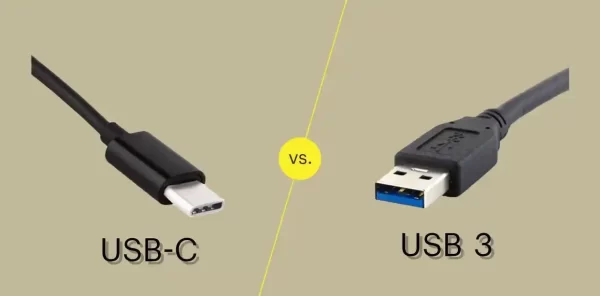
USB-C vs USB 3.0 vs USB4: Which Connector Do You Need for Your Next Design?
If you’re specifying a USB connector for a new product, you’ve probably run into three overlapping terms: USB-C, USB 3.0, and USB4....