

USB-C 24-Pin Receptacle Pinout Diagram (SMT Mid-Mount)
USB-C 24-Pin Receptacle Pinout — Product Overview
This USB-C 24-pin receptacle pinout reference covers the complete pin assignment and signal mapping for Vistar’s SMT mid-mount USB-C connector, supporting USB4 Gen 3 and DisplayPort Alt Mode signal routing for PCB integration. The 24-pin configuration provides the full USB Type-C signal set: four SuperSpeed differential pairs for high-speed data, USB 2.0 D+/D− for backward compatibility, CC1/CC2 for orientation detection and Power Delivery negotiation, VBUS/GND for power and ground, and SBU1/SBU2 for Alternate Mode functions.
The SMT mid-mount USB-C connector format positions the connector body partially below the PCB surface, reducing the height above the board to just 0.5mm at the centerline (compared to 1.57mm for standard top-mount receptacles). This makes it suitable for ultra-thin devices, tablets, docking stations, and compact embedded systems where vertical clearance is limited. The mid-mount design requires a routed PCB cutout, and the SMT termination supports automated reflow soldering in high-volume production.
This page is intended as a working reference for PCB designers, hardware engineers, and procurement teams. The pin assignment table below follows the standard USB Type-C specification and should be verified against the connector’s mechanical drawing before finalizing the PCB layout. For a broader guide covering the differences between 24-pin, 16-pin, and 6-pin USB-C connectors, see the USB-C Connector Pinout Explained guide.
USB-C 24-Pin Receptacle Pinout — Full Technical Specifications
| Parameter | Value | Notes |
|---|---|---|
| Part Number | USB-TC24-F24 | Standard catalog item |
| Connector Type | USB Type-C Female Receptacle | 24-pin full-featured |
| Mounting Style | SMT Mid-Mount (Sinking) | CL=0.5mm |
| Pin Count | 24 Pins | Full USB-C signal set |
| Body Length | 8.21 mm | — |
| Centerline Height | 0.5 mm | Ultra-low profile |
| USB Standard | USB4 Gen 3 | Up to 40 Gbps |
| Power Delivery | USB PD 3.1 | Up to 240W (5A) |
| Current Rating | 5A max | VBUS and GND |
| Voltage Rating | 20V DC | — |
| Contact Material | Phosphor Bronze | Gold plated |
| Shell Material | Stainless Steel | EMI shielding |
| Insulator Material | LCP, UL94V-0 | High-temp, 260°C reflow |
| Operating Temperature | −25°C to +85°C | — |
| Mating Cycles | 10,000 cycles | Durability |
| Compliance | RoHS 3, REACH, USB-IF | Global export ready |
| Packaging | Tape & Reel | SMT assembly ready |
24 Pin USB Type-C Receptacle — Pin Assignment Table
| Pin | Signal | Description | Pin | Signal | Description |
|---|---|---|---|---|---|
| A1 | GND | Ground | B12 | GND | Ground |
| A2 | TX1+ | SuperSpeed TX Pair 1 (+) | B11 | RX1+ | SuperSpeed RX Pair 1 (+) |
| A3 | TX1− | SuperSpeed TX Pair 1 (−) | B10 | RX1− | SuperSpeed RX Pair 1 (−) |
| A4 | VBUS | Bus Power | B9 | VBUS | Bus Power |
| A5 | CC1 | Configuration Channel 1 | B8 | SBU2 | Sideband Use 2 |
| A6 | D+ | USB 2.0 Data (+) | B7 | D− | USB 2.0 Data (−) |
| A7 | D− | USB 2.0 Data (−) | B6 | D+ | USB 2.0 Data (+) |
| A8 | SBU1 | Sideband Use 1 | B5 | CC2 | Configuration Channel 2 |
| A9 | VBUS | Bus Power | B4 | VBUS | Bus Power |
| A10 | RX2− | SuperSpeed RX Pair 2 (−) | B3 | TX2− | SuperSpeed TX Pair 2 (−) |
| A11 | RX2+ | SuperSpeed RX Pair 2 (+) | B2 | TX2+ | SuperSpeed TX Pair 2 (+) |
| A12 | GND | Ground | B1 | GND | Ground |
The A and B rows are symmetric about the connector’s central origin. When the plug is inserted upright, A5 (CC1) connects to the cable’s CC line. When flipped, B5 (CC2) takes over. This is what enables reversible insertion without mechanical switches inside the connector. Pin assignments follow the USB Type-C Connector Specification; for official requirements refer to the USB Type-C Cable and Connector Specification published by USB-IF.
USB-C Receptacle Pin Assignment — Key Design Features for SMT Mid-Mount Layouts
Complete 24-Pin USB-C Pin Assignment Reference
This page provides the full pin mapping for the 24-pin USB Type-C receptacle, covering all four SuperSpeed differential pairs, USB 2.0 D+/D−, CC1/CC2, VBUS/GND, and SBU1/SBU2. Engineers can use this reference directly for PCB signal routing and controller pin planning.
SMT Mid-Mount USB-C Connector — CL=0.5mm Ultra-Low Profile
The mid-mount design positions the connector body partially below the PCB surface, reducing the height above the board to 0.5mm at the centerline — enabling sub-8mm total device thickness. This is particularly useful in ultra-thin devices, tablets, and compact embedded systems where vertical clearance is limited.
5A Per Contact — USB Power Delivery 3.1 up to 240W
The 24-pin receptacle is rated for 5A per contact, supporting USB Power Delivery 3.1 up to 240W (48V × 5A) when paired with a suitable PD controller. The four VBUS pins run in parallel to reduce contact resistance and minimize voltage drop. For PD specification details, see the USB Power Delivery specification.
USB4 Gen 3 — 40 Gbps High-Speed Data
The 24-pin pinout includes four SuperSpeed differential pairs supporting USB 3.2 Gen 2 (10 Gbps) and USB4 Gen 3 (40 Gbps). In USB4 mode, the SuperSpeed lanes are repurposed as 4×12 Gbps FRL channels to deliver the full 40 Gbps bandwidth. High-speed pairs require controlled-impedance routing with matched trace lengths.
CC1/CC2 Configuration Channels — Orientation & PD Negotiation
Pins A5 and B5 carry the CC lines used for plug orientation detection, power role establishment, and USB PD negotiation. Both CC1 and CC2 must be routed because the connector orientation is not known in advance.
RoHS 3 & REACH Compliant — Globally Export Ready
Lead-free construction meets RoHS 3 and REACH SVHC substance regulations, ensuring unrestricted export to regulated markets for consumer, industrial, and embedded applications.
24-Pin USB-C Connector Variants — Which One Do You Need?
Vistar offers several 24-pin USB-C female receptacle variants, each optimized for a different mounting requirement. Use the table below to find the right one for your design, or contact our engineers if you’re not sure.
| Model | Mounting | Orientation | Protocol | Rating | Cycles | Best For |
|---|---|---|---|---|---|---|
| USB-TC24-F09 | DIP + SMT Hybrid | Horizontal | USB 3.1 | 5A / 20V | 10,000 | Frequent insertion / vibration; needs extra PCB retention |
| USB-TC24-F25 | SMT only | Horizontal | USB4 | 5A / 20V | 10,000 | Standard automated SMT lines; next-gen USB4 designs |
| USB-TC24-FW10 | SMT | Vertical | USB 3.1 | 5A / 20V | 10,000 | Outdoor or industrial equipment needing IP68 sealing |
| USB-TC24-F28M01 | SMT + TH reinforcement | Right-angle | USB 3.2 Gen 2 | 5A / 20V | 10,000+ | Edge-mounted right-angle ports needing extra strength |
| USB-TC24-F11 | SMT Mid-Mount | Horizontal | USB 3.2 Gen 2 | 3A / 20V | 10,000 | Ultra-thin laptops, tablets, IoT; PD up to 100W |
| USB-TC24-F24 | SMT Mid-Mount (CL=0.5mm) | Right-angle | USB4 Gen 3 (40 Gbps) | 5A / 20V | 10,000 | Lowest profile mid-mount + full USB4 40 Gbps + PD 240W |
Always re-confirm against the current datasheet before finalizing a design. Need help choosing? Contact our engineering team with your mounting height, current, and speed requirements.
Where to Use This USB-C Mid-Mount PCB Connector — Applications for Compact Electronics
USB-C 24-Pin Receptacle Pinout — Frequently Asked Questions
What is the USB-C 24-pin receptacle pinout?
The USB-C 24-pin receptacle pinout is the assignment of signals to each of the 24 pins in a USB Type-C female connector. The 24 pins are arranged in two rows of 12 (A and B sides) and carry four SuperSpeed differential pairs, USB 2.0 D+/D−, CC1/CC2 configuration channels, VBUS/GND power and ground, and SBU1/SBU2 sideband signals. This pinout supports USB4 Gen 3 data, USB Power Delivery 3.1 up to 240W, and DisplayPort Alt Mode video output.
What is the difference between a 24-pin and 16-pin USB-C connector?
A 24-pin USB-C receptacle is full-featured: it supports USB4 SuperSpeed data (40 Gbps), USB Power Delivery up to 240W, DisplayPort Alt Mode video output, and reversible insertion. A 16-pin USB-C receptacle supports USB 2.0 (480 Mbps) and USB PD charging up to 5A, but omits the high-speed SuperSpeed pairs and Alt Mode pins — making it suitable for cost-sensitive charging-only or low-speed data applications. If your design requires USB4 data or video output, the 24-pin configuration is required.
Why do I need to route both CC1 and CC2 pins?
Pins A5 (CC1) and B5 (CC2) are the Configuration Channel lines. Because the USB-C plug can be inserted in either orientation, the system does not know in advance which CC pin will be connected to the cable’s CC line. Both must be routed to the PD controller so that orientation detection and Power Delivery negotiation work correctly regardless of how the cable is inserted.
What is a mid-mount USB-C connector used for?
A mid-mount USB-C connector is designed to sit partially below the PCB surface, reducing the connector height above the board to 0.5mm at the centerline. This is useful for ultra-thin devices, tablets, and compact embedded systems where vertical clearance is limited. The mid-mount design requires a routed PCB cutout that matches the connector body shape, and the SMT termination supports automated reflow soldering in production.
How should the USB-C high-speed pairs be routed on the PCB?
The SuperSpeed differential pairs (TX1+/−, RX1+/−, RX2+/−, TX2+/−) should be routed with controlled 90Ω differential impedance, matched trace lengths within each pair, and a continuous ground reference plane beneath the traces. Minimize vias in high-speed paths and use ground stitching vias near any required layer transitions. For additional PCB layout guidance, refer to our USB-C Connector Pinout Explained guide.
Does this connector support USB4 and USB Power Delivery?
Yes. The USB-TC24-F24 supports USB4 Gen 3 up to 40 Gbps and USB Power Delivery 3.1 up to 240W (48V × 5A). The four parallel VBUS/GND pins reduce contact resistance to support high-current charging performance.
Can I get PCB footprint files?
Yes. Vistar Electronics provides 2D drawings, 3D STEP models, and recommended PCB footprint layouts upon request. Contact our engineering team at sales@vistarelectronics.com for design files.
What is the MOQ and can I get a free sample?
Standard MOQ is 1,000 pieces with a 2–4 week production lead time. Free samples are available for qualified engineering and product development projects. Contact sales@vistarelectronics.com with your company details, project application, and part number (USB-TC24-F24).
USB-TC24-F24 — USB-C 24-Pin Receptacle Pinout | SMT Mid-Mount Female Connector | RoHS 3 & REACH Compliant | OEM/ODM Available

USB Type C Surface Mount Connector 16P — USB-TC16-F04 16 Pin SMD Horizontal Receptacle with 5A Rating
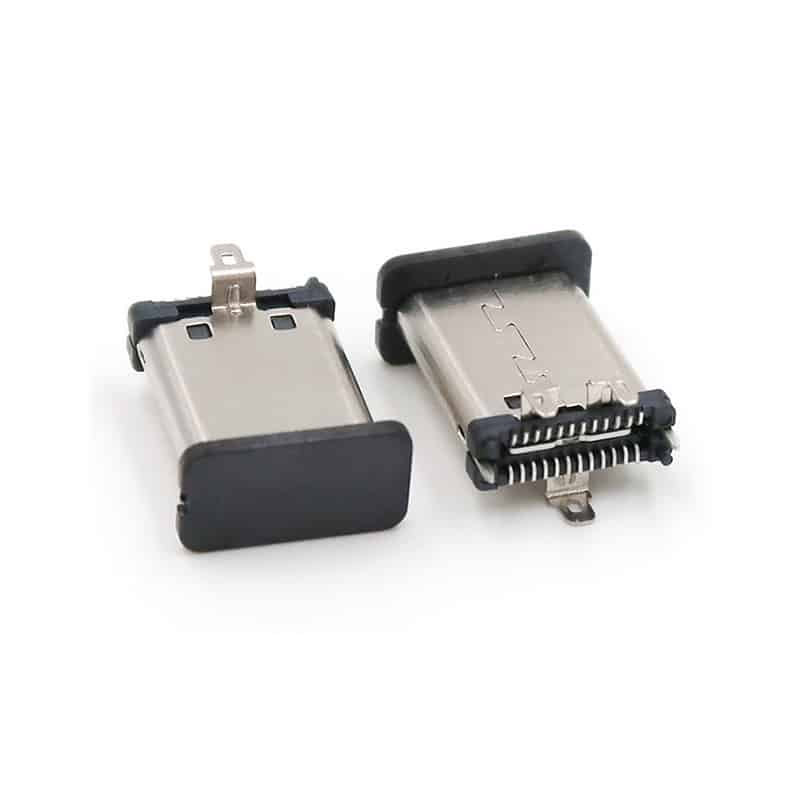
USB Type-C Male Connector 24 Pin for High-Speed USB 3.1 Applications
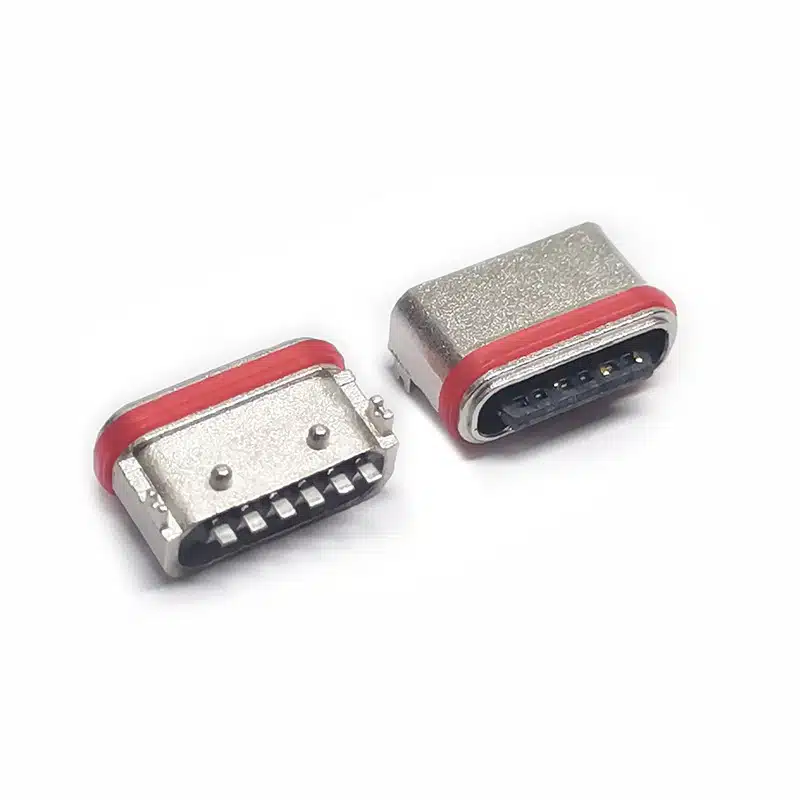
Premium Waterproof USB-C Receptacle 6 Pin SMT – IP67 Right Angle for Harsh Environments

USB4 Type-C Receptacle 24 Pin Single Row for 40Gbps High-Speed PCB Applications

24 Pin USB-C Female Connector SMT Vertical — USB 3.1 Type-C Receptacle for High-Power Applications

Top mount USB Type C Receptacle 24pin Double shells USB 4.0 pcb connector SMT cL=1.32mm l=8.21mm

USB C 24 Pin Connector Mid-Mount Right Angle | USB 3.1 Gen 2 | Vistar Electronics

USB Type-C Female Connector 6 Pin Mid-Mount – Durable 3A Power Delivery for Space‑Limited PCBs
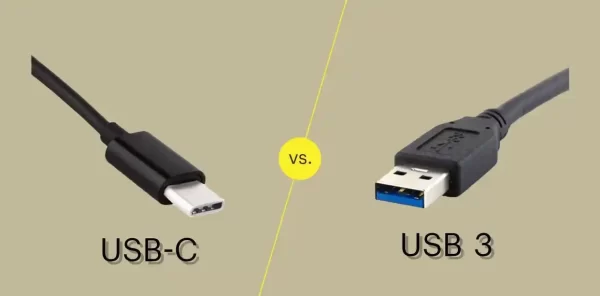
USB-C vs USB 3.0 vs USB4: Which Connector Do You Need for Your Next Design?
If you’re specifying a USB connector for a new product, you’ve probably run into three overlapping terms: USB-C, USB 3.0, and USB4....

USB-C Connector Pinout Guide for Engineers: 24-Pin vs 16-Pin Signal Assignment & PCB Routing
You have spent three weeks finalizing a board design. The BOM is locked, the PCB is routed, and the prototype is on...

USB-C 24-Pin Full-Featured vs. 16-Pin USB 2.0: Key PCB Layout Considerations
Understanding the differences in PCB layout between the USB-C 24-pin full-featured and 16-pin USB 2.0 connectors is crucial for ensuring stable device...