

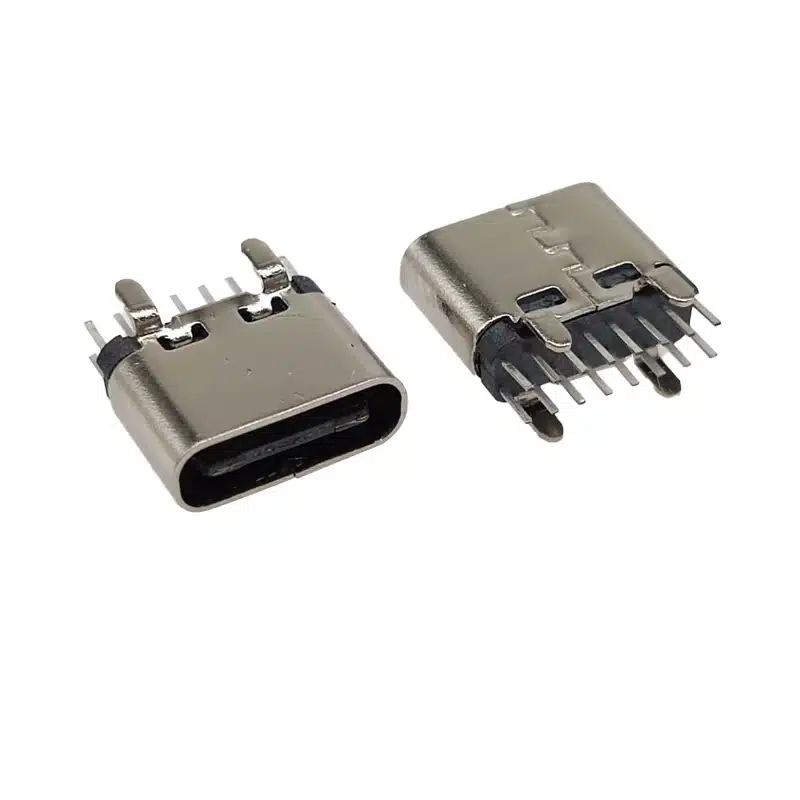
24 Pin USB-C DIP SMT Connector Hybrid— USB-TC24-F09
Unlike SMT-only or mid-mount 24-pin USB-C receptacles, the USB-TC24-F09 combines through-hole DIP pins with SMT pads for higher pull-out strength in high-insertion or vibration-prone applications.
The 24 pin USB-C DIP SMT connector (USB-TC24-F09) is a full-featured USB 3.1 Type-C female connector engineered for modern electronic devices requiring high-speed data transfer, fast charging, and compact PCB integration. Featuring a hybrid DIP+SMT mounting structure, this 24 pin USB-C receptacle provides superior mechanical stability and reliable electrical performance for demanding applications.
Designed with the standard reversible USB Type-C interface, the connector supports USB 2.0, USB 3.1, Power Delivery (PD), and alternate mode functionality depending on system implementation. Its 24-pin architecture enables full signal routing capability, making it ideal for laptops, docking stations, industrial equipment, gaming devices, medical electronics, and smart consumer products.
For official USB Type‑C standards and technical resources, visit the USB Implementers Forum (USB‑IF).
USB C Connector Pinout 24 Pin — Technical Specifications
| Parameter | Specification |
|---|---|
| Part Number | USB-TC24-F09 |
| Connector Type | USB Type-C Female Receptacle |
| Pin Count | 24 Pins |
| Interface Standard | USB 3.1 Type-C |
| Mounting Type | DIP + SMT |
| Current Rating | 5A |
| Voltage Rating | 30V DC |
| Insertion Force | 20N Max |
| Withdrawal Force | 5–20N |
| Durability | 10,000 Cycles |
| Packaging | Reel / Tray |
| Connector Orientation | Horizontal |
| Compliance | RoHS / REACH |
Technical information sourced from the official product page.
USB Type C 24 Pin Connector — Complete Pinout Explanation
The USB Type-C 24 pin connector uses a symmetrical dual-row pin arrangement that enables reversible insertion. The connector contains two mirrored pin rows (A side and B side), allowing the plug to function correctly regardless of orientation.
Main Functional Pin Groups in the 24 Pin USB C Receptacle
| Pin Group | Function |
|---|---|
| VBUS | Power delivery up to 5A |
| GND | Ground return |
| D+ / D- | USB 2.0 data transmission |
| TX/RX Pairs | USB 3.1 SuperSpeed data |
| CC1 / CC2 | Configuration & PD communication |
| SBU1 / SBU2 | Alternate mode support |
The full 24-pin configuration supports high-speed communication, USB Power Delivery, video transmission, and alternate modes such as DisplayPort Alt Mode.
Key Features of the USB C Connector Pinout 24 Pin
Applications of the USB C Connector Pinout 24 Pin
FAQ
What is a 24 pin USB-C connector?
Why does USB Type-C use 24 pins?
What do CC1 and CC2 pins do in USB-C?
Can this USB-C connector support fast charging?
Is this connector compatible with USB4 and Thunderbolt devices?
What is the advantage of DIP+SMT mounting?
USB-C Connector Manufacturer Resources

24 Pin USB-C Female Connector SMT Vertical — USB 3.1 Type-C Receptacle for High-Power Applications

Top mount USB Type C Receptacle 24pin Double shells USB 4.0 pcb connector SMT cL=1.32mm l=8.21mm
Best USB C 16 Pin DIP Vertical Connector | 3A Through-Hole Type-C Female H=6.5mm | USB-TC16-F09

USB4 Type-C Connector 24 Pin Vertical SMT Female Receptacle

16 Pin USB-C Connector Mid-Mount SMT – 10Gbps USB 3.2 Receptacle

USB Type-C Female Connector 6 Pin Mid-Mount – Durable 3A Power Delivery for Space‑Limited PCBs

Surface mount USB C connector smt 24pin right angle CL=1.57mm L=9.17

USB 3.2 Gen 2 Type-C Connector 24 Pin for 10Gbps High-Speed & Fast Charging Devices
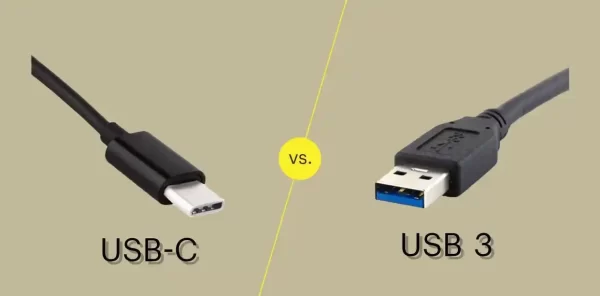
USB-C vs USB 3.0 vs USB4: Which Connector Do You Need for Your Next Design?
If you’re specifying a USB connector for a new product, you’ve probably run into three overlapping terms: USB-C, USB 3.0, and USB4....

USB-C Connector Pinout Guide for Engineers: 24-Pin vs 16-Pin Signal Assignment & PCB Routing
You have spent three weeks finalizing a board design. The BOM is locked, the PCB is routed, and the prototype is on...

USB-C 24-Pin Full-Featured vs. 16-Pin USB 2.0: Key PCB Layout Considerations
Understanding the differences in PCB layout between the USB-C 24-pin full-featured and 16-pin USB 2.0 connectors is crucial for ensuring stable device...