

20 Pin DisplayPort SMT Top Mount Connector — DP-F-02 Female PCB Receptacle for Monitors & Industrial Displays
The DP-F-02 is a 20 pin DisplayPort SMT top mount connector (female receptacle) designed for horizontal PCB surface mounting with the port opening facing upward. Rated 0.5A, 35N max insertion force, 5,000 mating cycles. Supports DisplayPort 1.2/1.4. RoHS 3 & REACH compliant. MOQ 1,000 pcs. Free sample available.
20 Pin DisplayPort SMT Top Mount Connector — DP-F-02 Product Overview
The DP-F-02 is a 20 pin DisplayPort SMT top mount connector — a full-size DisplayPort female receptacle engineered for horizontal surface-mount PCB assembly with its port opening oriented vertically upward (top-facing). Manufactured by Vistar Electronics, the DP-F-02 delivers reliable DisplayPort video signal connectivity for desktop monitors, industrial panel PCs, docking stations, embedded display boards, and any application where a top-access DisplayPort port is required.
The “top mount” orientation means the DP-F-02 sits flat on the PCB surface and the DisplayPort socket faces directly upward — cables connect from above the board. This configuration is common in all-in-one monitor PCBs, table-top docking stations, signal distribution boards, and display controller assemblies where routing the video cable downward to a side-panel port is not practical. Compared to the right-angle variant where the port exits from the side of the board, the DisplayPort female PCB connector top mount simplifies chassis design for vertical cable entry and reduces the required PCB-to-chassis clearance at the board edges.
The DP-F-02 carries the full 20-pin DisplayPort signal assignment as defined by the VESA DisplayPort Standard, supporting all four Main Link lanes (ML_Lane 0–3), the AUX channel, Hot Plug Detect (HPD), and power pins. This makes the DP-F-02 fully compatible with DisplayPort 1.2 (up to 4K@60Hz, 21.6 Gbps HBR2) and DisplayPort 1.4 (up to 8K@60Hz, 32.4 Gbps HBR3 with DSC), as well as backward-compatible DisplayPort 2.0 source devices.
As a passive connector, the DP-F-02 does not limit the DisplayPort protocol version — video capability is determined by the source GPU or display controller, the cable assembly, and the sink display. Engineers can deploy the same DP-F-02 footprint across product generations, simply upgrading the source controller without changing the connector or PCB layout.
The DP-F-02 DisplayPort connector is rated at 0.5A per contact for signal pins, with a maximum mating insertion force of 35N and a minimum withdrawal retention force of 8N. The 5,000-cycle mating life rating satisfies commercial-grade requirements for display ports in monitors, workstations, and light-industrial control panels. Gold-plated phosphor bronze contacts ensure stable, low-resistance signal transmission across the product’s service life, while the zinc alloy shell provides effective EMI shielding for sensitive high-frequency DisplayPort signals.
The LCP insulator body is rated for SMT reflow soldering temperature profiles, and the connector body includes through-hole mechanical anchor pins for additional pull-out and side-load resistance — a critical feature for a large connector format like full-size DisplayPort. Available in tape-and-reel packaging for automated SMT pick-and-place production lines, and tray packaging for manual or prototyping assembly.
For more information on DisplayPort signal architecture and connector pin assignment, see the DisplayPort technical overview on Wikipedia. For alternative mounting orientations, compare with our vertical SMT DisplayPort connector (port faces upright perpendicular to the board) or the full DisplayPort connector range for all mounting configurations.
All DP-F-02 connectors are manufactured in Vistar Electronics’ ISO 9001:2015 certified facility in Pingshan District, Shenzhen, China, and comply with RoHS 3 (EU Directive 2015/863) and REACH SVHC regulations — ready for EU, North American, and all major regulated export markets.
DP-F-02 DisplayPort Female PCB Connector Top Mount — Full Technical Specifications
| Parameter | Value | Notes |
|---|---|---|
| Part Number | DP-F-02 | Standard catalog item |
| Connector Type | DisplayPort Female Receptacle | Full-size DisplayPort, 20-pin |
| Interface Standard | DisplayPort 1.2 / 1.4 / 2.0 | VESA standard pin assignment |
| Pin Count | 20 Pins | Full DP signal + power + GND |
| Mount Type | SMT (Surface Mount) | With through-hole anchor pins |
| Orientation | Top Mount (Horizontal) | Port opening faces upward |
| Current Rating | 0.5A per contact | Signal contacts |
| Insertion Force | ≤ 35N | Maximum per VESA spec |
| Withdrawal Force | ≥ 8N | Minimum retention force |
| Mating Cycles | 5,000 cycles | Commercial grade |
| Contact Material | Phosphor Bronze, Gold Plated | Low, stable contact resistance |
| Insulator Material | LCP (High-Temperature) | SMT reflow compatible |
| Shell Material | Zinc Alloy | EMI shielding |
| Operating Temperature | −25°C to +85°C | Commercial & light-industrial |
| Packaging | Reel / Tray | SMT pick-and-place ready |
| Compliance | RoHS 3, REACH SVHC | EU & global export ready |
| Certification | ISO 9001:2015 | Factory quality management |
Why Engineers Choose This SMT Top Mount DisplayPort Receptacle — DP-F-02
Top Mount Orientation — Upward-Facing Port for Clean Cable Routing
The horizontal top mount orientation positions the DisplayPort socket opening directly upward from the PCB. This simplifies cable entry from above the board in all-in-one monitor assemblies, table-top docks, and vertically stacked PCB designs — eliminating side-panel cutouts and reducing chassis engineering complexity.
DisplayPort 1.2 / 1.4 Compatible — Up to 8K@60Hz
Full 20-pin VESA DisplayPort signal assignment supports DP 1.2 (4K@60Hz, HBR2 21.6 Gbps) and DP 1.4 (8K@60Hz, HBR3 32.4 Gbps with DSC). Forward-compatible with DisplayPort 2.0 source controllers. The same DP-F-02 footprint supports all current and next-generation DisplayPort protocol revisions.
Through-Hole Anchor Pins — Reinforced Pull-Out Resistance
Despite being an SMT connector, the DP-F-02 includes through-hole mechanical anchor pins that pass through PCB drilled holes and are wave-soldered on the back side. This hybrid attachment provides significantly greater resistance to cable pull-out and mechanical side-loads than a fully SMT connector — essential for a large-body full-size DisplayPort receptacle.
5,000 Mating Cycles — Commercial Grade Durability
Rated for 5,000 insertion/withdrawal cycles. Gold-plated phosphor bronze contacts maintain stable contact resistance and signal integrity throughout the connector’s commercial service life. Suitable for monitors, docking stations, display controllers, and signal distribution equipment with regular cable reconnections.
Reel & Tray Packaging — SMT Production Ready
Available in EIA-481 compliant tape-and-reel for high-volume SMT automated pick-and-place assembly, and in tray format for manual placement and prototyping. Consistent component orientation in reel packaging ensures reliable automated placement yields across production runs.
RoHS 3 & REACH Compliant — Globally Export Ready
Fully compliant with RoHS 3 (EU Directive 2015/863) and REACH SVHC substance regulations. RoHS declarations of conformity and REACH SVHC statements are available upon request for EU CE marking, supply chain qualification, and customer audit programs.
Where to Use the DisplayPort PCB Connector 0.5A Top Mount — DP-F-02 Applications
DP-F-02 DisplayPort Top Mount Connector — Frequently Asked Questions
What does “top mount” mean for a DisplayPort SMT connector?
“Top mount” (also called “horizontal” or “top-entry”) describes the connector’s orientation relative to the PCB: the connector body lies flat on the PCB surface and the DisplayPort socket opening faces directly upward — cables insert from above the board. This is in contrast to a right-angle connector, where the socket faces sideways toward the board edge, or a vertical connector, where the socket faces straight up on a standing connector body.
Top mount is ideal for PCB designs where the DisplayPort cable enters the assembly from the top — for example, in monitor PCBs inside slim chassis where the cable drops down from the display panel, or on docking station boards where the top surface is accessible to the user.
What DisplayPort versions does the DP-F-02 support?
The DP-F-02 is a passive 20-pin DisplayPort receptacle that supports DisplayPort 1.2, 1.4, and 2.0 signal assignments. As a passive connector, it does not limit the DisplayPort protocol version — the actual supported version depends on your source device (GPU/display controller), the DisplayPort cable, and the sink display.
With a DP 1.2 source: up to 4K@60Hz (HBR2, 21.6 Gbps total). With a DP 1.4 source: up to 8K@60Hz (HBR3, 32.4 Gbps). With a DP 2.0 source: up to UHBR20 (80 Gbps total). Refer to the VESA DisplayPort specification for full protocol details.
What is the difference between the DP-F-02 top mount and the right-angle DisplayPort connector?
The DP-F-02 (top mount) has its socket opening facing upward — cables connect from above the PCB. The right-angle / vertical variant has its socket opening facing toward the board edge — cables connect from the side.
Choose top mount when: the cable enters from above the PCB, you need a front-accessible port on a horizontal board, or your chassis design has the PCB mounted horizontally with the top surface facing the user. Choose right-angle when: the port needs to exit through a side panel or bezel, or when PCB height above the board is a constraint.
Both variants are electrically equivalent and support the same DisplayPort protocol versions.
Does the DP-F-02 have mechanical anchor pins? Is it fully SMT?
The DP-F-02 uses a hybrid attachment method: the 20 signal contacts are SMT-soldered to PCB pads on the surface, while additional mechanical anchor pins pass through drilled holes in the PCB and are wave-soldered on the back side. This hybrid method provides significantly stronger pull-out and side-load resistance compared to a fully SMT connector.
For the PCB layout, you will need to provide both SMT pads for the signal contacts and drilled through-holes for the anchor pins. The product datasheet (available from Vistar sales) provides the exact footprint dimensions, hole sizes, and pad layout.
Is the DP-F-02 compatible with Mini DisplayPort or HDMI cables?
No. The DP-F-02 is a full-size DisplayPort receptacle and is only mechanically compatible with full-size DisplayPort plugs. It is not compatible with Mini DisplayPort (mDP) plugs, which are physically smaller. It is also not mechanically compatible with HDMI connectors.
For Mini DisplayPort PCB connectors, see our Mini DisplayPort receptacle range. For HDMI connectors, see our HDMI connector range.
What is the MOQ and can I get a free sample?
Standard MOQ is 1,000 pieces with a 2–4 week production lead time. Free samples are available for qualified engineering and product development projects. Contact sales@vistarelectronics.com with your company details, project application, and required part number (DP-F-02), or click the “Get a Quote” button at the top of this page.

right angle displayport connector female 20p SMT

20 Pin DP Connector SMT Vertical T/H h=13mm

Right Angle DisplayPort Receptacle 20 Pin (SMT + Through Hole)

DisplayPort Plug 20 Pin Straddle Mount PCB Connector — DP-M-01 DP Male Clamp 1.6mm for Cable & Panel Assemblies
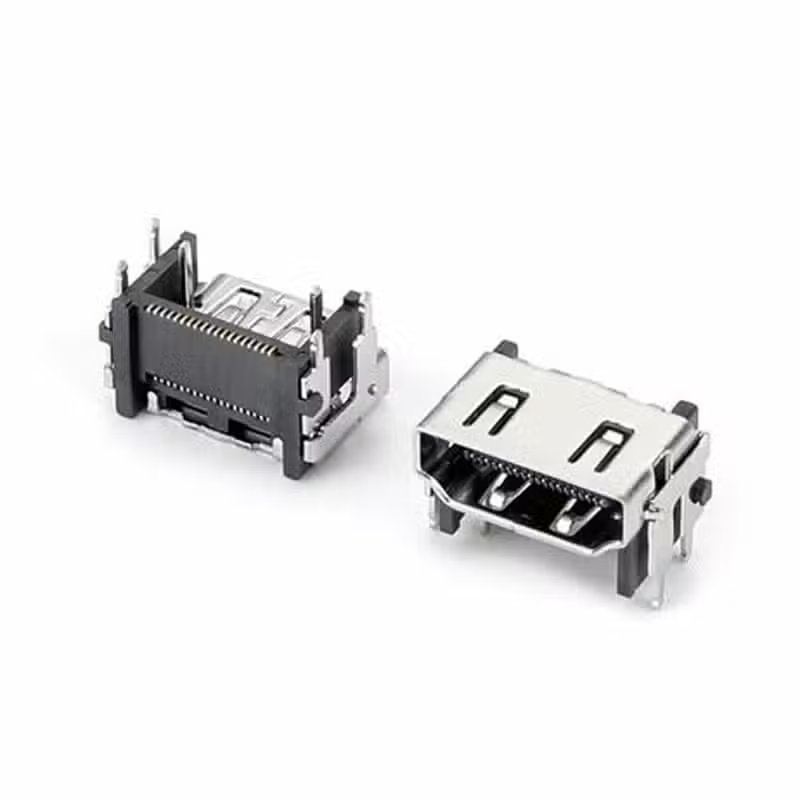
DisplayPort SMT Right Angle Connector — 20 Pin Female PCB Receptacle

Mini DisplayPort Connector Male 20 Pin Straddle Mount — DP-MN-M01 Mini DP Plug PCB Clamp 1.6mm for Compact Display Designs

Connector DP 20 Pin Clamp Board for Reliable High-Speed PCB Applications

Vertical Displayport connector 20 Pin SMT H=15mm

DisplayPort 1.4 vs 2.1 for PCB Design: Connector Selection & Routing Guide
Your product spec sheet promises DisplayPort 2.1 output — 8K, 240Hz, the works. But when your procurement team pulls connector options, half...
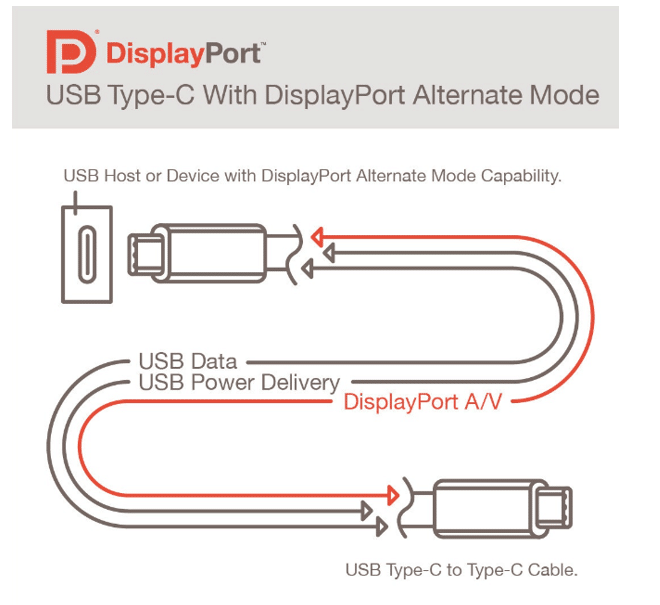
How to Check if a USB-C Port Supports DP Alt Mode — 5 Methods Explained
Quick AnswerNot every USB-C port supports DisplayPort Alt Mode — it depends on the port’s pin configuration and the host controller behind...

DisplayPort Pinout Guide: 20-Pin Connector Functions, Wiring & PCB Layout
A video interface that works on the lab bench can fail in the field for a reason that never appears on a...