车载FPC连接器

Automotive FPC Connector: 5 Proven Strategies to Boost Reliability in High-Vibration Environments

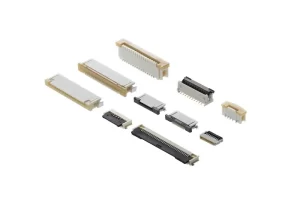
Driven by the global wave of automotive electronics intelligence, FPC (Flexible Printed Circuit) connectors have become indispensable components in modern vehicle electronic systems. According to industry data, the global automotive FPC connector market reached USD 1.45 billion in 2024 and is projected to grow to USD 2.74 billion by 2033, with a CAGR of 7.2%. With new energy vehicle penetration exceeding 45% and L3+ autonomous driving vehicles incorporating 4-6 ADAS domain controllers, the usage and value of Automotive FPC Connector per vehicle are experiencing explosive growth. However, the harsh automotive environment poses unprecedented challenges to connector reliability. Continuous vibration in engine compartments, thermal cycling, humidity variations, and salt spray corrosion

Read More »
SMT vs Through-Hole Connectors

SMT vs Through-Hole Connectors: Pros and Cons

In the realm of printed circuit board (PCB) assembly, two mounting technologies stand out as the backbone of electronic manufacturing: Surface Mount Technology (SMT) and Through-Hole Technology (THT) connectors. For B2B buyers, electrical engineers, production managers, and procurement professionals, the choice between these two connector types is not merely a technical detail—it directly impacts product reliability, production efficiency, cost control, and the overall performance of end products. Whether you’re sourcing components for consumer electronics, industrial equipment, or automotive systems, understanding the nuances of SMT vs Through-Hole connectors is critical to making informed purchasing decisions that align with your project goals and budget. As a professional electronic components trading company serving

Read More »
USB Type-C vs DisplayPort

USB Type-C vs DisplayPort: Which Connector for Your Application?

Introduction In modern electronics, embedded systems, and display applications, USB Type-C and DisplayPort are two of the most widely used high-performance digital interfaces. While they can overlap thanks to DisplayPort Alt Mode, they serve distinct design goals and perform differently in real-world use cases—especially for industrial, automotive, and consumer electronics OEM/ODM projects. Choosing the right connector affects device size, power delivery, signal stability, and long-term reliability. In this article, we break down USB Type-C vs DisplayPort to help engineers, designers, and buyers select the best solution for their project, with insights into industrial-grade connector options from Vistar Electronics, a leading connectivity solution supplier with 15+ years of experience. What Is

Read More »
How to Choose the Right DisplayPort Connector

How to Choose DisplayPort Connector for Your PCB Design– Complete Guide

Learn how to choose DisplayPort connector for your PCB design. Compare SMT vs through-hole, height options, durability, and key electrical specs. Includes expert tips and product recommendations. As display resolutions continue to climb toward 8K and beyond, the humble DisplayPort connector has become a critical component in modern electronic designs. Whether you are developing a high-end graphics card, an industrial control system, or a consumer monitor, selecting the right DisplayPort connector for your PCB layout can directly impact signal integrity, manufacturing yield, and long-term reliability. In this guide, we will walk through the key factors to consider when choosing a DisplayPort connector, from physical form factors to electrical performance, helping

Read More »

When laying out SMD tactile switches during PCB design, what are the key design considerations?

In PCB design, properly laying out SMD tactile switches is crucial for ensuring long-term product stability and reliability. I will outline the key design considerations from the following main aspects: placement and positioning, circuit design, PCB details, manufacturing compatibility, and software coordination. Placement, Positioning, and Spacing Reasonable layout is the first step to ensure switch functionality and manufacturability. Circuit Design and Signal Integrity Reliable circuit design effectively prevents false triggering and signal quality issues. PCB Layout and Routing Details of SMD tactile switches Careful layout and routing improve signal quality and noise immunity. Design for Manufacturing and Assembly Considerations Considering production processes during design significantly improves yield. Software Configuration Coordination

Read More »

Specific Differences in Testing Standards and Focus for Tactile Switches Across Application Scenarios (e.g., Automotive Electronics vs. Consumer Electronics)

The testing standards and focus for tactile switches vary dramatically across different application scenarios, differing almost entirely in their level of stringency and testing dimensions. The core difference stems from fundamental disparities in reliability requirements, operating environments, and operational lifespan. Simply put, the testing standards for consumer electronics are akin to a “qualifying round” on a standard track, while the testing for automotive electronics is more like an “endurance survival race” under extremely complex and harsh conditions. Core Differences Comparison Table The table below clearly summarizes the main differences in testing standards and focus between these two scenarios: Testing Dimension Consumer Electronics Tactile Switch(e.g., phone, remote) Automotive Electronics Tactile Switch(e.g.,

Read More »
USB4 vs Thunderbolt 4

How do USB4 vs Thunderbolt 4 share the USB-C physical interface at the protocol layer, and what are the key differences?

USB4 vs Thunderbolt 4 can share the USB-C physical interface because they both use the same underlying protocol foundation and channel negotiation mechanisms, but they have significant differences in performance standards, feature completeness, and certification requirements. The Basis of Shared Physical Interface USB Type-C is merely a physical interface form, its core lies in the internal multiple pairs of high-speed signal channels (Lanes). Through a mechanism called Alternate Mode, it allows these physical channels to be dynamically negotiated and utilized by different data protocols.Both USB4 and Thunderbolt protocol data can be transmitted through the USB-C channels in this way. Shared Mechanism at the Protocol Layer At the protocol layer, USB4

Read More »
displayport connector

How to Clean the DisplayPort Connector Port and Troubleshoot DisplayPort Handshake Issues

Cleaning the DisplayPort connector and troubleshooting handshake failures can be addressed from the following two main aspects. Properly Cleaning the DisplayPort Connector Port Poor physical connection is a common cause of issues like black screens or flickering. Before attempting complex software settings, ensure the port and cable are clean and securely connected. You will need: A can of compressed air, a soft small brush (like a clean eyeshadow brush or lens brush), a high-quality magnifying glass or your phone’s macro mode, and isopropyl alcohol with cotton swabs (optional, only for extreme grime). If the problem persists after cleaning and reconnecting, proceed to deeper “handshake” troubleshooting. Troubleshooting DisplayPort Handshake Issues The

Read More »
usb c pcb connector​

How to Ensure Signal Integrity in PCB Layout for USB C PCB Connector (e.g., USB4 40Gbps)? Specific Requirements for Impedance Matching, Crosstalk Control, and Loss

​Signal integrity is the absolute core concern when designing PCB layouts for USB C PCB Connector (such as USB4 40Gbps). The requirements far exceed those for USB 2.0 or lower-speed USB 3.2, imposing extremely stringent specifications on impedance matching, crosstalk control, and loss. The following design guide details these specific requirements, accompanied by a design decision flowchart to aid your understanding. Core Requirements and Specific Design Parameters USB4, based on the Thunderbolt™ 3 protocol, requires dual-channel, full-duplex differential signal transmission. This means there are 4 pairs of ultra-high-speed differential lines, and each pair must perform nearly perfectly. Design Dimension Core Objective USB4 (40Gbps) Specific Requirements & Implementation Methods 1. Impedance

Read More »
usb c connectors in Automotive

Right-Angle USB-C Connectors: Space-Saving Solutions for Common Problems

In modern digital life, the USB-C interface has become a standard feature of electronic devices, from smartphones and laptops to tablets and various peripherals. This small connector handles multiple tasks, including data transfer, video output, and device charging. However, traditional straight USB-C connectors often face problems such as cable bending, space constraints, and connector wear. The emergence of right-angle USB-C connectors, with their unique angled design, cleverly solves these long-standing problems for users. What is a Right-Angle USB-C Connector? A right-angle USB-C connector, as the name suggests, refers to a USB-C plug with a 90-degree bend. Unlike traditional straight connectors, its plug and cable are at a right angle, and

Read More »
DisplayPort no signal

How to fix DisplayPort no signal

DisplayPort no signal issues are usually caused by physical connection problems, incorrect signal source selection, graphics card drivers, or settings. Please follow the steps below, starting with the most common causes and progressing to more complex ones. Step-by-Step Troubleshooting Guide You can follow this flowchart to quickly pinpoint the problem of DisplayPort no signal. It summarizes the troubleshooting logic from basic to advanced: The following are detailed instructions and explanations for each step: Step 1: Basic Checks (Most Frequently Overlooked) Step 2: Hardware and Connection Testing Step 3: Drivers and System Settings Advanced and Special Case Troubleshooting If the above steps do not work, consider the following: Summary of Key

Read More »
usb-c

How to Achieve DisplayPort or HDMI Signal Output on USB-C via Alternate Mode?

The core mechanism for achieving DisplayPort or HDMI signal output over USB-C is Alternate Mode. It allows the high-speed pins within the USB-C interface originally designated for data transfer to be “reassigned” at the protocol layer for use by video transmission protocols. The following diagram clearly illustrates the complete workflow and core technical principles of this process: Below is a detailed explanation of the key technical steps, necessary conditions, and practical considerations involved in implementing this functionality. I. Prerequisites: Hardware and Protocol Support To enable this feature, all three of the following hardware conditions must be met: II. Core Technology: Alternate Mode Workflow The workflow follows strict protocol steps, as shown in

Read More »
2.54mm pitch 40 pin connector header

Best Overview About 40 Pin Connector Header 2.54mm Male and Female

The 2.54mm pitch 40 pin connector header (also known as the Bergstik connector) is a classic and versatile board-to-board connection solution. Below is a detailed overview of its core features, application selection, and purchasing considerations. Core Features and Advantages Selection Guide: Male vs. Female 40 Pin Connector Headers Feature Dimension Male Header (Pin Header) Female Header (Socket Header) Physical Form Rigid, pin-like contacts Cylindrical sockets with receptacles Mounting Style Straight (vertical) or right-angle Straight or right-angle, corresponding to the male header Typical Application Usually soldered onto the main PCB Often soldered onto a daughter board to mate with a male header; or used with cable assemblies (e.g., IDC connectors) Protective

Read More »
CC Pin Workflow in USB PD Protocol Negotiation

Professional Engineers need to know: CC Pin Workflow in USB PD Protocol Negotiation

The CC pin within the USB Type-C interface acts as the “intelligent command center” for the entire PD (Power Delivery) fast-charging protocol negotiation process. The following flowchart illustrates its core workflow, after which each stage will be explained in detail. Physical Connection and Role Detection Negotiation begins the moment a USB-C cable is inserted: In-Depth PD Protocol Negotiation If both devices support the PD protocol, a more “intelligent” conversation unfolds over the CC pin using BMC (Biphase Mark Coding) encoded messages. Dynamic Management and Safety Mechanisms The strength of the PD protocol lies in its dynamic flexibility, all relying on continuous communication over the CC pin. Core Summary In summary,

Read More »
USB-C Female Connector Pinout

Why is the USB-C Female Connector Pinout like that?

The design of the USB-C Female Connector Pinout employs a centrally symmetrical structure, which is the foundation for its reversible plugging feature. Below is a detailed pin definition and functional explanation. 24-Pin USB-C Female Connector Pinout The following table details the functions of each pin in a standard 24-pin USB-C female receptacle. The pin arrangement is symmetrical along the central axis (Row A and Row B). Pin Number (Row A) Pin Number (Row B) Pin Name Function Description A1 B12 GND Signal ground. A2 B11 SSTXp1 / SSRXp1 SuperSpeed differential pair #1: Transmit Positive (TX+) / Receive Positive (RX+). The function depends on cable orientation and negotiated mode. A3 B10

Read More »
USB type C receptacle Connector SMD 24 pin SMT right angle L9.1mm CL 3.68MM

Industrial-Grade USB Type C Receptacle Connectors: Specialized Designs for IP Protection and Mechanical Strength

To ensure stable operation in harsh environments, industrial-grade USB Type C receptacle connectors incorporate numerous specialized designs in terms of protection rating and mechanical strength. The following table summarizes the key aspects of these designs for a quick overview. Design Dimension Industrial-Grade Special Design Implementation Method and Value 🔒 Water & Dust Proof High IP Rating (e.g., IP67/IP68/IP69K) Utilizes techniques like overmolding (injection molding) to integrate the waterproof structure with the connector body in one piece, or employs precision rubber O-rings/gaskets and waterproof adhesive to achieve double or even triple sealing. This ensures no leakage when immersed in 1 meter of water for 30 minutes or under more stringent conditions.

Read More »
usb-c 24 pin vs usb-c 16pin

USB-C 24-Pin Full-Featured vs. 16-Pin USB 2.0: Key PCB Layout Considerations

Understanding the differences in PCB layout between the USB-C 24-pin full-featured and 16-pin USB 2.0 connectors is crucial for ensuring stable device performance. The main distinction lies in the support for high-speed signal lanes, which directly impacts the complexity of layout and routing. The following table compares their key design points. Design Consideration USB-C 24-Pin (Full-Featured) USB-C 16-Pin (USB 2.0 Type) Core Functionality Supports USB 3.2/4 (5/10/20 Gbps+), DisplayPort Alt Mode, high-power PD (up to 240W), etc. Supports only USB 2.0 data (up to 480 Mbps) and power delivery. Differential Pairs 8 pairs total. 4x SuperSpeed RX/TX pairs (SSTX/SSRX) + 1x USB 2.0 pair (D+/D-) + Auxiliary pairs (SBU). 1

Read More »
hdmi plug connectors application

The Future of HDMI Plug Connectors 2.2: Innovations in Form, Function, and Beyond

The HDMI plug connectors are undergoing a profound transformation, with future innovations extending far beyond their foundational role of “transmitting video.” It is evolving into an intelligent, versatile, and highly robust interface at the heart of next-generation digital experiences. The table below outlines the core breakthrough directions in its physical form, performance, and functional boundaries. Innovation Dimension Core Breakthrough Directions Specific Manifestations and Value Physical Form More Compact, Integrated, and Reliable Cat 4 connector optimizes internal structure for higher bandwidth; Recessed (Sink-Mount) and Right-Angle designs save crucial internal space in ultra-slim devices; Locking mechanisms (screw-locks, latches) and IP-rated (IP67/IP68) housings enhance reliability for industrial, automotive, and outdoor applications. Performance Standards

Read More »

Best Global Sourcing Guide for Tact Switch Manufacturers: In-Depth Analysis of Top Manufacturers and Strategic Selection Strategies

This article provides an in-depth analysis of the world’s leading tact switch manufacturers and suppliers, based on industry insights, and offers a systematic selection strategy to help you accurately locate reliable sources within the global supply chain. In the human-machine interface of electronic devices, the tactile switch (Tact Switch) plays a crucial role. It is not only the physical contact point for user input but also directly affects the product’s operational feel, reliability, and overall quality. From remote controls and game controllers in consumer electronics to control panels in industrial equipment and medical instruments, a high-quality tactile switch is fundamental to ensuring the long-term stable operation of a product. Faced

Read More »
usb type c pcb connector

Special Protective Standards Required for usb type c pcb connector in Industrial Automation Equipment

In industrial automation equipment, the protective standards that USB type C PCB connector must meet are significantly more stringent than those in the consumer electronics sector, primarily to address the challenges of harsh environments. The table below summarizes these critical protective standards and requirements for a quick overview. Protection Category Core Standard / Rating Significance and Requirements in Industrial Environments Enclosure Protection (IP Code) IP67 / IP68 / IP69K Prevents ingress of dust and liquids. IP67 withstands temporary immersion (1 meter, 30 min). IP68 offers protection against continuous immersion. IP69K protects against high-pressure, high-temperature water jets, crucial for washdown areas in food & beverage or pharmaceutical plants. Mechanical Durability ≥

Read More »
Request A Quote