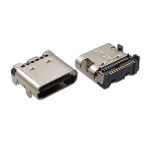
USB Connector Types Overview: From Legacy Ports to Modern USB-C
The most common USB connector types used in consumer, industrial, and automotive electronics today include:
- USB Type-A — The classic rectangular host connector
- USB Type-B — Square peripheral connector for printers and industrial equipment
- Mini USB — Compact legacy connector for digital cameras and portable devices
- Micro USB — Ultra-small predecessor to USB-C for smartphones
- USB Type-C — Reversible, high-speed, power-delivery-ready universal connector
- USB 3.0 Type-B — Enhanced Type-B with SuperSpeed data
- USB 3.0 Micro-B — High-speed Micro-B for external storage
- USB Type-E — Internal motherboard header for front-panel USB-C
- USB-C Receptacle — Female PCB-mount USB-C port (6-pin to 24-pin)
- USB-C Plug — Male PCB-mount USB-C connector for cable assemblies
- Waterproof USB-C Connector — IP67/IP68 rated for harsh environments
- Lightning Connector — Apple proprietary interface (USB 2.0 based)
Each connector type is designed for specific applications, data rates, and mechanical requirements. Below, we break down the key features, specifications, and real-world applications for each type — with a special focus on USB Type-C connector variants that dominate modern PCB designs.
USB Type-A Connector: The Original Standard Host Interface
USB Type-A is the most recognizable USB connector type — a flat, rectangular plug found on computers, laptops, TVs, gaming consoles, and wall chargers. Introduced with USB 1.0 in 1996, it has remained the default host-side connector through USB 2.0, USB 3.0, and USB 3.2 generations.
Key Features
- Rectangular, polarized design (non-reversible)
- Supports USB 2.0 (480 Mbps), USB 3.0 (5 Gbps), USB 3.2 (10 Gbps)
- Host-side connector only — always supplies power, never receives
- Widely compatible with billions of legacy devices
Applications
- Desktop PCs and laptops
- USB hubs and docking stations
- AC wall chargers and power adapters
- Game consoles (PlayStation, Xbox)
While USB Type-A remains common, new product designs increasingly favor USB Type-C connectors for their reversible design and higher power delivery capability.
USB Type-B Connector: The Peripheral Workhorse
USB Type-B connectors feature a distinctive square housing with a beveled top protrusion. They are almost exclusively found on peripheral devices — printers, scanners, external hard drives, and industrial equipment — where a secure, robust connection is more important than compact size.
Key Features
- Square-shaped housing with polarized keying
- Mechanically robust — resists accidental disconnection
- USB 2.0 and USB 3.0 variants available
- Peripheral-side connector only
Applications
- Printers and multifunction copiers
- Barcode scanners and POS terminals
- Laboratory and test equipment
- Industrial control systems
USB 3.0 Type-B (also called USB 3.0 Type-B SuperSpeed) adds a separate 5-pin block above the standard USB 2.0 pins, enabling 5 Gbps data transfer while maintaining backward compatibility.
Mini USB Connector: The First Compact Solution
Mini USB was the first significant size reduction in the USB family, introduced to serve the emerging portable electronics market of the early 2000s. Available in Mini-A and Mini-B variants, it offered a durable, compact connection for devices too small for full-size USB ports.
Key Features
- Approximately 60% smaller than USB Type-A
- 5-pin configuration (USB 2.0 only)
- Mechanically robust trapezoidal housing
- Rated for 5,000+ mating cycles
Typical Applications
- Digital cameras and camcorders
- MP3 players and portable media devices
- GPS navigation units
- Legacy mobile phones
Mini USB has been largely superseded by Micro USB and now USB-C, but remains relevant for maintaining legacy industrial equipment and older consumer devices.
Micro USB Connector: The Pre-USB-C Mobile Standard
Micro USB became the universal charging standard for smartphones and portable electronics from 2007 to 2016, thanks to its ultra-compact size and the EU’s common charger mandate. Available in Micro-A, Micro-B, and Micro-AB (OTG) variants, it supported USB 2.0 data and limited charging power.
Key Features
- Smallest USB 2.0 connector — ideal for thin devices
- 5-pin configuration with ID pin for OTG detection
- Cost-effective and widely available
- Rated for 10,000 mating cycles
Applications
- Android smartphones (pre-2017)
- Power banks and portable chargers
- Bluetooth headphones and wearables
- Low-cost IoT devices
Micro USB is now rapidly being replaced by USB Type-C connectors, which offer reversible insertion, faster charging, and higher data speeds.
USB Type-C Connector: The Universal Standard for Modern Electronics
USB Type-C is now the most widely adopted USB connector type across consumer, industrial, and automotive electronics. Its reversible, symmetrical design eliminates the frustration of wrong-side insertion, while its 24-pin architecture supports everything from USB 2.0 charging to USB4 40 Gbps data and 240W power delivery.
Advantages of USB-C
- Reversible design: No wrong way to insert — works in either orientation
- High-speed data: Up to 40 Gbps with USB4 / Thunderbolt 4
- USB Power Delivery: Up to 240W (48V/5A) with USB PD 3.1
- Compact form factor: Similar size to Micro USB but far more capable
- Alt Modes: Supports DisplayPort, HDMI, and PCIe over USB-C
- Future-proof: Backward compatible with USB 2.0 and 3.x
USB-C Pinout Variants for PCB Design
Vistar offers USB Type-C connectors in multiple pin configurations to match your application requirements and cost targets:
| Pin Count | Data Speed | Power | Best For | Product Link |
|---|---|---|---|---|
| 6-Pin | USB 2.0 (480 Mbps) | 3A / USB PD | Charging-only, wearables, low-cost IoT | 6-Pin USB-C |
| 16-Pin | USB 2.0 (480 Mbps) | 5A / USB PD | Chargers, hubs, cost-optimized designs | 16-Pin USB-C |
| 24-Pin | USB4 (40 Gbps) | 5A / 240W PD | Laptops, docks, high-speed industrial | 24-Pin USB-C |
For a deep dive into pin assignments, see our USB-C Female Connector Pinout Guide and the Ultimate USB Type-C Pinout: 24P to 6P Explained.
USB-C Receptacle vs. USB-C Plug
On the PCB side, USB-C connectors come in two genders:
- USB-C Receptacle (Female): The fixed port on your device that receives the cable plug. Available in SMT vertical, SMT right-angle, DIP through-hole, and mid-mount orientations.
- USB-C Plug (Male): The connector end that mates with the receptacle, used for cable assemblies and dongle PCBs. Available in SMT and through-hole variants.
Waterproof USB-C Connectors
For outdoor, marine, and industrial applications, waterproof USB-C connectors with IP67 or IP68 ratings provide dust-tight and water-immersion protection. Vistar offers waterproof USB-C receptacles in 6-pin charging-only and 24-pin full-featured configurations, with silicone gasket sealing and stainless steel shells. Learn more in our Waterproof USB-C 24-Pin SMD Vertical and USB Type-C Waterproof Connector 16-Pin product pages.
USB Power Delivery (PD) over USB-C
One of the most transformative features of USB Type-C connectors is USB Power Delivery (PD). Through the CC (Configuration Channel) pins, devices negotiate voltage and current levels dynamically:
- USB PD 2.0/3.0: Up to 100W (20V/5A)
- USB PD 3.1: Up to 240W (48V/5A) — enough for gaming laptops and high-power industrial equipment
Even 6-pin USB-C connectors support basic PD communication through CC1/CC2 pins, enabling intelligent charging without full USB 3.x data lanes.
Applications
- Smartphones, tablets, and laptops
- Monitors and docking stations with video output
- Power adapters and GaN chargers
- Industrial IoT and automotive infotainment
- Portable medical devices
USB 3.0 Type-B Connector: SuperSpeed for Peripherals
USB 3.0 Type-B (officially USB 3.1 Gen 1 Type-B) adds a second connector block with five additional pins to the standard USB 2.0 Type-B housing, enabling 5 Gbps SuperSpeed data transfer while maintaining full backward compatibility with USB 2.0 cables.
Typical Applications
- External hard drives and SSD enclosures
- USB 3.0 hubs and docking stations
- Industrial data acquisition systems
- High-resolution scanners and printers
The distinctive “double-decker” appearance makes USB 3.0 Type-B instantly recognizable, though it has largely been replaced by USB-C in new designs.
USB 3.0 Micro-B Connector: Compact SuperSpeed
USB 3.0 Micro-B extends the standard Micro-B with a wider 10-pin housing, adding a separate SuperSpeed differential pair while retaining the original 5-pin USB 2.0 section. This was the standard connector for portable USB 3.0 storage devices before USB-C adoption.
Applications
- Portable HDDs and SSDs
- USB 3.0 backup drives
- Legacy Samsung Galaxy devices (Note 3, S5)
USB 3.0 Micro-B is now obsolete for new designs, with all major manufacturers transitioning to USB-C for portable storage.
USB Type-E Connector: Internal Motherboard Header
USB Type-E (also called USB 3.1 Front Panel Connector or Key-A) is an internal connector used exclusively on PC motherboards to route USB 3.1 Gen 2 or USB-C signals to front-panel ports. It is not an end-user-facing connector but a critical component in desktop PC design.
Applications
- Desktop PC motherboards (ATX, mATX, ITX)
- Gaming PC cases with front-panel USB-C
- Workstation and server chassis
USB Connector Comparison Table: Speed, Power & Applications
| Connector Type | Max Data Speed | Max Power | Reversible | Typical Applications |
|---|---|---|---|---|
| USB Type-A | 10 Gbps (USB 3.2) | 7.5W (5V/1.5A) | No | PCs, chargers, hubs |
| USB Type-B | 5 Gbps (USB 3.0) | 7.5W | No | Printers, scanners |
| Mini USB | 480 Mbps (USB 2.0) | 2.5W | No | Legacy cameras, GPS |
| Micro USB | 480 Mbps (USB 2.0) | 10W (5V/2A) | No | Legacy smartphones |
| USB Type-C (16-pin) | 480 Mbps (USB 2.0) | 100W+ (USB PD) | Yes | Chargers, IoT, hubs |
| USB Type-C (24-pin) | 40 Gbps (USB4) | 240W (USB PD 3.1) | Yes | Laptops, docks, industrial |
| USB 3.0 Type-B | 5 Gbps | 7.5W | No | External storage |
| USB 3.0 Micro-B | 5 Gbps | 10W | No | Legacy portable HDDs |
| USB Type-E | 10 Gbps (USB 3.1 Gen 2) | — | N/A | Motherboard headers |
| Waterproof USB-C | Up to 40 Gbps | Up to 240W | Yes | Outdoor, marine, industrial |
USB-A vs USB-C: Why Engineers Are Switching
USB Type-C offers decisive advantages over USB Type-A for new product designs:
- Reversible insertion: No fumbling with connector orientation — improves user experience and reduces port damage
- Higher data speeds: USB-C 24-pin supports USB4 40 Gbps vs. USB-A max 10 Gbps
- Higher charging power: USB PD up to 240W vs. USB-A max 7.5W
- Smaller footprint: 8.4mm × 2.6mm vs. 12mm × 4.5mm — critical for slim devices
- Future compatibility: USB-C is the mandated EU standard; USB-A is being phased out
For new PCB designs, USB Type-C connectors are generally recommended unless legacy compatibility is explicitly required.
Micro USB vs USB-C: The Upgrade Path
Compared with Micro USB, USB-C provides transformative improvements:
- Faster charging: USB PD 100W+ vs. Micro USB 10W max
- Higher data speeds: Up to 40 Gbps vs. 480 Mbps
- Better durability: 10,000+ mating cycles with metal shell vs. 10,000 plastic-body cycles
- Improved user experience: Reversible, more robust, supports audio and video
As a result, virtually all modern electronics — from budget smartphones to high-end industrial equipment — have transitioned to USB-C connectors. The EU Common Charger Directive (2024) mandates USB-C for all small and medium-sized portable electronics, accelerating this transition.
USB 2.0 vs USB 3.0 vs USB4: Speed & Protocol Evolution
USB data protocols have evolved dramatically since 1996. Here is the speed progression:
| Protocol | Release Year | Max Speed | Connector Types |
|---|---|---|---|
| USB 2.0 | 2000 | 480 Mbps | Type-A, Type-B, Mini, Micro |
| USB 3.0 / 3.1 Gen 1 | 2008 / 2014 | 5 Gbps | Type-A, Type-B, Micro-B, Type-C |
| USB 3.1 Gen 2 | 2014 | 10 Gbps | Type-C |
| USB 3.2 | 2017 | 20 Gbps (Gen 2×2) | Type-C |
| USB4 | 2019 | 40 Gbps (Gen 3) | Type-C only |
| USB4 v2 | 2022 | 80 Gbps | Type-C only |
USB4 represents the latest generation and is exclusively paired with USB Type-C connectors. It builds upon the Thunderbolt 3 protocol, enabling simultaneous data, video, and power over a single cable. For official USB specifications, visit the USB Implementers Forum (USB-IF).
How to Choose the Right USB Connector for Your PCB Design
When selecting a USB connector type for your product, evaluate these critical factors:
<
- Data transmission speed: Do you need USB 2.0 (480 Mbps), USB 3.1 (5–10 Gbps), or USB4 (40 Gbps)?
- Charging / power requirements: Is 5V/500mA sufficient, or do you need USB PD 100W+?
- PCB space and mounting: SMT, DIP, mid-mount, or right-angle? What height clearance?
- Pin count: 6-pin for charging-only, 16-pin for USB 2.0 + PD, 24-pin for full USB4/Thunderbolt
- Environmental protection: Standard indoor, or IP67/IP68 waterproof for outdoor/marine?
- Durability: How many mating cycles? Consumer (5,000) or industrial (10,000+)?
- Industry standards: USB-IF compliance, RoHS 3, REACH, EU Common Charger Directive
For compact electronics, mid-mount USB-C connectors are often preferred due to their low profile and strong retention force. For harsh environments, waterproof USB-C connectors with IP68 ratings ensure reliable performance under water immersion and dust exposure.
USB Connector Applications by Industry
USB Connector Types — Frequently Asked Questions
What are the most common USB connector types?
The most common USB connector types are USB Type-A (host), USB Type-B (peripheral), Micro USB (legacy mobile), and USB Type-C (modern universal). USB-C is rapidly replacing all other types due to its reversible design, higher power delivery, and faster data speeds. For industrial and outdoor applications, waterproof USB-C connectors with IP67/IP68 ratings are also widely used.
Is USB-C replacing Micro USB?
Yes. The vast majority of new electronic devices — from smartphones to industrial controllers — now use USB Type-C connectors. The EU Common Charger Directive (enforced December 2024) legally mandates USB-C for all small and medium portable electronics sold in Europe. Micro USB is now limited to legacy devices and ultra-low-cost applications where USB-C cost is prohibitive.
Which USB connector supports the fastest speed?
USB Type-C with a full 24-pin configuration is the only connector that supports USB4 Gen 3 (40 Gbps) and Thunderbolt 4. No other USB connector type — including USB 3.0 Type-A or Type-B — can match this bandwidth. For high-speed designs, choose a 24-pin USB-C receptacle with proper SuperSpeed differential pair routing.
Can USB-C support power delivery?
Yes. USB-C is the exclusive connector for USB Power Delivery (PD). Even 6-pin USB-C connectors support basic PD communication via CC pins, while 16-pin and 24-pin variants support full USB PD 3.1 up to 240W (48V/5A). This makes USB-C the only connector capable of charging everything from wireless earbuds to gaming laptops with a single interface.
Which USB connector is best for new product designs?
USB Type-C is the best choice for virtually all new product designs. It is future-proof, legally mandated in major markets, and supported by every major semiconductor and device manufacturer. Select the pin count based on your needs: 6-pin for charging-only, 16-pin for USB 2.0 + PD, and 24-pin for full USB4/Thunderbolt performance. For outdoor or wet environments, specify IP67 or IP68 waterproof variants.
What is the difference between USB-C 6-pin, 16-pin, and 24-pin?
The pin count determines functionality and cost:
- 6-pin USB-C: VBUS, GND, CC1, CC2. Supports USB 2.0 charging and basic PD only. Most compact and cost-effective.
- 16-pin USB-C: Adds USB 2.0 data (D+/D-) and extra power/ground pins. Supports 5A charging and USB 2.0 data. No SuperSpeed lanes.
- 24-pin USB-C: Full-featured with two SuperSpeed differential pairs (TX/RX), SBU pins, and complete Alt Mode support. Required for USB4, DisplayPort, and Thunderbolt.
See our detailed comparison: USB-C 24-Pin vs 16-Pin: PCB Layout Considerations.
What does IP67/IP68 mean for waterproof USB-C connectors?
IP67 means dust-tight and protected against immersion in 1 meter of water for 30 minutes. IP68 offers higher protection with manufacturer-specified depth and duration (typically 1.5+ meters for extended periods). Vistar’s waterproof USB-C receptacles use silicone gasket sealing and stainless steel shells to achieve these ratings, making them ideal for marine electronics, outdoor power banks, industrial handhelds, and EV charging stations.