
Learn everything about tactile switch guide including types, working principles, specifications, pin configurations, and applications. A complete guide for engineers, designers, and OEM manufacturers.
You are laying out the user interface for a new handheld medical device. The design requires a compact, reliable input component that provides clear tactile feedback to the user, fits within a tight PCB footprint, and will survive thousands of actuations. The engineering team is debating: SMD or through-hole? 3×6 or 6×6? 180gf or 260gf?
The tactile switch is one of the most widely used electromechanical components in modern electronics, yet it is also one of the most frequently underspecified components on a Bill of Materials. Every press applies mechanical stress to the switch contacts. Every vibration in the field tests the integrity of the solder joint. And the physical size, actuation force, and mounting style determine not only where the switch fits on the board but also how it feels to the user, how long it lasts, and how reliably it performs.
This guide covers everything you need to know about tactile switches: what they are, how they work, the different types and configurations, key specifications, applications, and how to choose the right switch for your project.
Internal link: For a detailed comparison of different tactile switch sizes, see our guide on 3×6 vs 6×6 Tactile Switch .
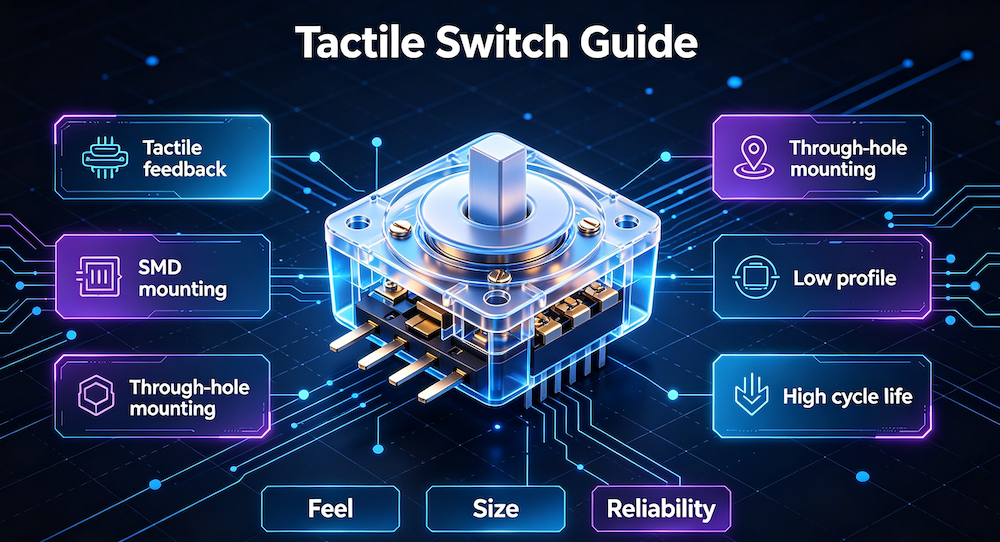
What Is a Tactile Switch?
A tactile switch—often called a tact switch—is a momentary, surface-mount or through-hole electromechanical component that provides perceptible feedback through touch when pressed. These small switches are placed on PCBs and are used to close an electrical circuit when the button is pressed by a person. When the button is pressed, the switch turns ON; when the button is released, the switch turns OFF.
Tactile switches are momentary action devices—they allow current flow when the actuator is pressed and held, ceasing current flow on release. The actuator’s travel distance is minimal, typically between 0.15mm and 0.25mm. The “tactile” part comes from the physical feedback: the distinct audible and haptic “click” that reassures the user the switch has functioned.
Internal link: For a deeper dive into how tactile switches work, see our guide on How Does Tact Switch Work? .
How Does a Tactile Switch Work?
A tactile switch operates via a small metal dome that collapses when pressed, completing an electrical circuit. This mechanism provides a clear “click” to indicate successful actuation.
The Five Core Components
- Base: A moulded resin component that combines the contacts and terminals into a single unit. It forms the foundation to which all other components are attached.
- Contacts and Terminals: These are the electrical connection points. There are two types: ones that are inserted into insert holes on a PCB (through-hole) and ones that are mounted on the surface of a PCB (SMD).
- Contact Dome: A circular part made of metal that acts as the moving contact. It possesses an arched shape that fits into the base. When subjected to force, the dome undergoes deflection or shape reversal, which bridges two fixed contacts in the base and completes the circuit. When the force is removed, the contact dome returns to its original shape and the switch turns OFF.
- Plunger: This component relays the force of the person pressing the switch to the contact dome. It serves to push and flex the dome. Plungers are generally made of resin, but sometimes rubber is used for larger strokes.
- Cover: The cover protects the internal mechanism of the switch. It is made by pressing a metal plate.
Sealed Tactile Switches
Sealed tactile switches contain all the components of the standard tactile switch, in addition to a pushbutton and a film that seals the contact dome and contacts to prevent moisture or foreign objects from reaching these components.
Standard vs. Sealed Tactile Switches
| Feature | Standard Tactile Switch | Sealed Tactile Switch |
|---|---|---|
| Protection | Basic | Sealed against moisture and foreign objects |
| Components | Cover, plunger, contact dome, base | Cover, pushbutton, film, plunger, contact dome, base |
| Applications | Indoor consumer electronics | Outdoor, automotive, industrial |
Tactile Switch Types
Tactile switches are classified by several characteristics: mounting style, actuation direction, size, and sealing.
By Mounting Style: SMD vs Through-Hole
SMD (Surface Mount Device) Tactile Switches
- Placed directly on the PCB surface and soldered using reflow soldering
- Advantages: Compact size, high-volume automated assembly, supports double-sided PCBs
- Trade-offs: Lower mechanical strength; solder joints rely on pad adhesion only
- Best for: High-volume consumer electronics, wearables, compact devices
Through-Hole (DIP) Tactile Switches
- Metal legs pass through drilled holes in the PCB and are soldered on the back
- Advantages: Superior mechanical strength, easier hand-soldering and rework, better resistance to physical stress
- Trade-offs: Requires drilled holes, not compatible with double-sided placement
- Best for: Industrial controls, automotive applications, prototyping
Internal link: For a detailed comparison, see our guide on SMT vs Through-Hole Tactile Switch .
By Actuation Direction: Top-Push vs Side-Push
Top-Push Tactile Switch
- Operated in a direction perpendicular to the PC board
- Features clear tactile feedback and stable action
- Available in various sizes: ultra-miniature, 3×4, 3×6, 4.5×4.5, 6×6 series
- Most common type for PCB-mounted push buttons
Side-Push Tactile Switch
- Operated in a direction parallel to the PC board
- Available in SMD, half-dive, and edge mount types
- Ideal for space-constrained designs where vertical space is limited
- Used in ultra-thin devices and side-mounted applications
Internal link: Explore our Side Push Tactile Switches for horizontal actuation applications.
By Size: Common Footprints
| Size | Typical Use | Example Products |
|---|---|---|
| 3×6 (3.0 × 6.0mm) | Ultra-compact devices, wearables | Smartwatches, fitness trackers, stylus buttons |
| 4×6 (4.0 × 6.0mm) | Compact keypads | Remote controls, IoT devices |
| 5.2×5.2 | Mid-size applications | Handheld meters, consumer electronics |
| 6×6 (6.0 × 6.0mm) | Industry standard, general-purpose | Keyboards, control panels, automotive |
| 6.2×6.2 | Industry standard variant | Audio equipment, industrial controls |
By Sealing: Standard vs Waterproof (IP67)
Waterproof tactile switches are sealed with a film and pushbutton to prevent moisture and foreign objects from reaching the contact dome. They are essential for:
- Outdoor electronics
- Automotive interiors
- Industrial environments
- Medical devices requiring sterilization
Tactile Switch 4 Pin Explained
A common question among engineers: Why do tactile switches have 4 pins if they only need 2?
The 4-pin tact switch is one of the most common types. Despite having four pins, it typically functions as a single-pole, single-throw (SPST) switch.
The Reason: Mechanical Stability
The four legs provide mechanical support to hold the switch firmly on the PCB. The two extra pins are not electrically separate—they are internally connected in pairs.
How to Wire a 4-Pin Tactile Switch
- Pins on the same longitudinal side are always connected internally
- Connect wires to opposite corners to ensure a valid circuit
4-Pin Tactile Switch Options from Vistar Electronics
| Part Number | Size | Mounting | Operating Force | Travel | Life Cycles |
|---|---|---|---|---|---|
| TS-1187N | 5.2×5.2mm | SMD | 180gf / 260gf | 0.15±0.10mm | 50,000 / 100,000 |
| TS-1158 | 6.2×6.2mm | SMD | 180gf / 260gf | 0.20±0.10mm | 50,000 / 100,000 |
| TS-1102H | 6×6mm | DIP (snap-in) | 180gf / 260gf | 0.20±0.10mm | 50,000 / 100,000 |
Internal link: Explore our 4-Pin Tactile Switches for reliable PCB mounting solutions.
Tactile Switch Specifications
Selecting the best tactile switch for an application entails more than scrutinizing specifications on a datasheet. Key specifications include:
| Specification | Description | Typical Range |
|---|---|---|
| Voltage Rating | Maximum voltage the switch can endure when open or closed | 12V DC |
| Current Rating | Maximum current a switch can safely carry without damage | 50mA DC |
| Activation Force | Force or pressure required to actuate the switch | 160gf, 180gf, 260gf |
| Travel (Stroke) | Distance the actuator moves before actuation | 0.15–0.25mm |
| Contact Resistance | Resistance between contacts when closed | ≤100mΩ |
| Insulation Resistance | Resistance between open contacts | ≥100MΩ at 500VDC |
| Mechanical Life | Number of cycles before failure | 50,000–100,000 cycles |
| Operating Temperature | Temperature range for reliable operation | -25°C to +70°C |
Why Operating Force Matters
The force required to activate the switch and the haptic feedback perceived by the user must align with the application:
- 160–180gf: Softer touch, comfortable for consumer devices, longer operating life
- 260gf: Firmer, positive tactile confirmation, reduces accidental actuations
- Higher forces (340gf+): Industrial and automotive applications to counteract input errors due to vehicle vibrations
Understanding Mechanical Life
Mechanical life varies based on operating force:
- 180gf option: Up to 100,000 cycles
- 260gf option: Typically 50,000 cycles
Internal link: For help selecting the right tactile switch, see our Tactile Switch Selection Guide .
Applications of Tactile Switches
Tactile switches are widely used in applications such as keyboards, keypads, musical instruments, and interface control panels. Their reliability and compact design make them suitable for:
Consumer Electronics
- Remote controls and keypads
- Audio equipment and portable devices
- Wearable devices (smartwatches, fitness trackers)
- IoT and smart home gadgets
Industrial Controls
- Control panels for printers and multifunction printers
- Industrial automation equipment
- Test and measurement instruments
Automotive Systems
- Vehicle controls and instrumentation
- Interior switches (steering wheel, dashboard)
- Telecommunication equipment
Medical Devices
- Handheld diagnostic equipment
- Patient monitoring interfaces
- Medical keypads
Key Applications for Specific Sizes
| Size | Primary Applications |
|---|---|
| 3×6 | Wearables, stylus buttons, compact keypads |
| 4×6 | Remote controls, IoT modules |
| 5.2×5.2 | Consumer electronics, handheld meters |
| 6×6 | Keyboards, control panels, industrial equipment |
Internal link: For more application-specific guidance, see our Tactile Switch Product Overview .
How to Choose a Tactile Switch
Step 1: Determine the Mounting Style
- High-volume automated SMT assembly? → Choose SMD
- Maximum mechanical strength needed? → Choose Through-Hole
- Prototyping or hand-soldering? → Through-Hole is easier
Step 2: Select the Size
- Ultra-compact device (wearable, stylus)? → 3×6
- Compact keypad or remote? → 4×6
- Standard consumer electronics? → 5.2×5.2 or 6×6
- Industrial or automotive? → 6×6 (more robust)
Step 3: Define the Actuation Force
- Consumer devices, comfortable press? → 160–180gf
- Positive feedback, reduced accidental actuation? → 260gf
- Harsh environment, vibration resistance? → Higher force
Step 4: Consider Actuation Direction
- Top-press (perpendicular to PCB)? → Standard top-push
- Side-press (parallel to PCB)? → Side-push
- Space-constrained design? → Side-push or low-profile
Step 5: Verify Electrical Requirements
- Voltage: Typically 12V DC
- Current: Typically 50mA DC
- Contact resistance: ≤100mΩ for reliable signal transmission
Step 6: Consider Environmental Requirements
- Indoor use? → Standard tactile switch
- Outdoor, moisture, or dust? → Sealed (IP67) tactile switch
- Extended temperature? → Verify operating temperature range
Step 7: Evaluate Mechanical Life
- Standard consumer use? → 50,000 cycles sufficient
- High-use applications? → 100,000+ cycles required
Common Mistakes When Choosing Tactile Switches
Mistake 1: Assuming all 4-pin switches are electrically different
4-pin switches are internally connected in pairs—the extra pins are for mechanical stability, not additional circuits.
Solution: Wire diagonally to ensure a valid circuit.
Mistake 2: Choosing the wrong operating force
Too light, and the switch actuates accidentally. Too heavy, and the user experience suffers.
Solution: Test both force options with actual users before finalizing the specification.
Mistake 3: Ignoring the mounting style
SMD switches are not recommended for high-vibration environments; through-hole switches provide superior mechanical strength.
Solution: Match the mounting style to the mechanical environment.
Mistake 4: Overlooking the actuator height
A stem that is too short will not reach the keycap; a stem that is too long places permanent stress on the internal dome.
Solution: Account for keycap thickness, overlay thickness, and pre-travel when selecting stem height.
Mistake 5: Forgetting about sealed vs. unsealed
Standard switches are not protected against moisture and dust.
Solution: Specify sealed tactile switches for outdoor, automotive, or industrial applications.
External link: For more on tactile switch specifications and selection, refer to CUI Devices’ Buyers’ Guide to Tactile Switches .
Frequently Asked Questions
What is a tactile switch used for?
A tactile switch is a momentary electromechanical component used to close an electrical circuit when pressed. It provides tactile feedback (a “click”) to confirm actuation. Applications include keyboards, remote controls, industrial control panels, automotive interiors, and consumer electronics.
What is the difference between a tactile switch and a push button switch?
A tactile switch allows current flow when pressed and held, ceasing current flow on release. Push button switches can be latching (maintaining state) or momentary. Tactile switches are typically much smaller, carry lower voltage and current ratings, and are exclusively designed for direct PCB mounting.
Why do tactile switches have 4 pins?
The 4-pin configuration provides mechanical stability. The four legs hold the switch firmly on the PCB. Internally, the pins are connected in pairs; the switch functions as an SPST switch.
What is an SMD tactile switch?
An SMD (Surface Mount Device) tactile switch is placed directly on the PCB surface and soldered using reflow soldering. It offers compact size and high-volume automated assembly.
What is a 6×6 tactile switch used for?
The 6×6 tactile switch is the industry standard size, used in keyboards, keypads, control panels, automotive interiors, and general consumer electronics. It offers the widest variety of actuation forces and stem heights.
What is a side push tactile switch?
A side push tactile switch is operated in a direction parallel to the PC board. It is ideal for space-constrained designs where vertical space is limited.
What is the typical operating life of a tactile switch?
Standard tactile switches are rated for 50,000 to 100,000 cycles. High-durability variants can achieve 500,000 cycles. Operating life depends on the actuation force—lighter forces typically last longer.
What is the difference between 160gf and 260gf tactile switches?
160gf provides a softer touch with longer operating life, suitable for consumer devices. 260gf provides firmer, more positive tactile confirmation and reduces accidental actuations.
Tactile Switches from Vistar Electronics
At Vistar Electronics, we understand the nuances of tactile switch selection. Our tactile switch portfolio includes:
SMD Tactile Switches:
- 3×6 SMD 2Pin (TS-1181-WH): 3.0×6.0mm footprint, 50mA at 12VDC, 180gf/260gf options, up to 100,000 cycles
- 5.2×5.2 SMD 4Pin (TS-1187N): 5.2×5.2mm footprint, 50mA at 12VDC, 180gf/260gf options, up to 100,000 cycles
- 6.2×6.2 SMD 4Pin (TS-1158): 6.2×6.2mm footprint, 50mA at 12VDC, 180gf/260gf options
- 4×6 SMD 2Pin (TS-4603): 4×6mm footprint, 50mA at 12VDC, 180gf/260gf options
Through-Hole Tactile Switches:
- 6×6 DIP 4Pin Snap-in (TS-1102H): 6×6mm footprint, DIP mounting, 50mA at 12VDC
All switches feature:
- Gold-plated contacts for reliable signal integrity
- RoHS and REACH compliance
- Tape-and-reel packaging for automated SMT assembly
- OEM and ODM customization available
Whether you are designing a wearable device, a consumer remote, an industrial control panel, or an automotive interface, the right tactile switch starts with understanding the size, force, and mounting requirements. We can help you specify it, source it, and integrate it.
For technical specifications, samples, or application support, contact the Vistar Electronics engineering team.


