

Mini DisplayPort PCB Connector 20-Pin — DP-MN-F01 Panel Mount Clamp for 4K & Industrial PCB Design
Mini DisplayPort PCB connector solutions are engineered for high-bandwidth video transmission and reliable connectivity in compact electronic devices. Offering a robust 20-pin architecture, this panel mount interface ensures stable 4K signal integrity for monitors, industrial PCs, and advanced docking stations.
Product Overview: 20 Pin Mini DP Port
The Mini DisplayPort PCB connector 20p (Model: DP-MN-F01) is a high-density, surface-mount receptacle designed for modern display interfaces. As a compact alternative to the standard DisplayPort, this Mini DP port is engineered to deliver superior video performance while occupying minimal board space. It features a ruggedized clamping mechanism for secure PCB attachment, making it ideal for environments where vibration resistance is critical.
Developers working on high-resolution displays or data-intensive video applications will appreciate the precision engineering of this 20 pin connector. It supports high-speed data lanes necessary for 4K@60Hz transmission, ensuring that your industrial or consumer electronics project maintains signal fidelity. For signal assignment details, see our DisplayPort pinout guide.
Mini DisplayPort Connector Electrical & Mechanical Specifications
| Parameter | Specification |
|---|---|
| Product Name | 20 Pin Mini DisplayPort PCB Connector |
| Part Number | DP-MN-F01 |
| Pin Count | 20 Pins |
| Mounting Type | Panel Mount / Clamp PCB Type |
| Rated Current | 0.5A |
| Insertion Force | 35N Max |
| Withdrawal Force | 8N Min |
| Durability | 5,000 Mating Cycles |
| Application Standard | DisplayPort 1.4 / 2.0 (High-Speed Video) |
| Key Feature | Secure Clamp for Vibration Resistance |
Why This 20-Pin Mini DP Connector Outperforms the Competition
Native 4K & High-Resolution Support
Engineered to handle the bandwidth requirements of DisplayPort standards, this Mini DisplayPort PCB connector ensures flicker-free transmission of 4K and ultrawide video signals, making it perfect for high-end monitors and medical imaging devices.
Robust Panel Mount Design
Unlike standard PCB tails, this 20 pin connector features a secure clamping mechanism. This provides superior mechanical stability, preventing solder joint fractures caused by cable strain or vibration in industrial settings.
Enhanced Signal Integrity
The shielded receptacle design minimizes EMI/RFI interference. When combined with a high-quality video cable assembly, it maintains low bit-error rates for critical data transmission.
Applications of the 20-Pin Mini DP Receptacle
Mini DisplayPort Connector – Frequently Asked Questions
What is the difference between a standard DisplayPort and a Mini DisplayPort connector?
How do I ensure signal integrity when designing with this PCB connector?
- Impedance Control: Maintain 100-ohm differential impedance for the high-speed pairs.
- Shielding: Connect the connector shell to the chassis ground for EMI protection.
- Placement: Keep the trace length from the GPU to the Mini DisplayPort PCB connector as short as possible.
For detailed routing guidelines, refer to the official VESA DisplayPort standards or consult the component datasheet.
What is the durability rating of this specific model?

Mini DP Connector Female 20 Pin Vertical SMT Receptacle for High-Speed Display Connectivity

Vertical Displayport connector 20 Pin SMT H=15mm

20 pin Mini DisplayPort receptacle right angle

DP-F12 Right Angle DisplayPort Female Connector, 20-Pin, SMT + Through-Hole

20 Pin DisplayPort Connector for High-Speed Digital Video Transmission

20 Pin Mini DisplayPort Receptacle Connector for High-Resolution Audio & Video Transmission

20 Pin DisplayPort SMT Top Mount Connector — DP-F-02 Female PCB Receptacle for Monitors & Industrial Displays

Connector DP 20 Pin Clamp Board for Reliable High-Speed PCB Applications

DisplayPort 1.4 vs 2.1 for PCB Design: Connector Selection & Routing Guide
Your product spec sheet promises DisplayPort 2.1 output — 8K, 240Hz, the works. But when your procurement team pulls connector options, half...
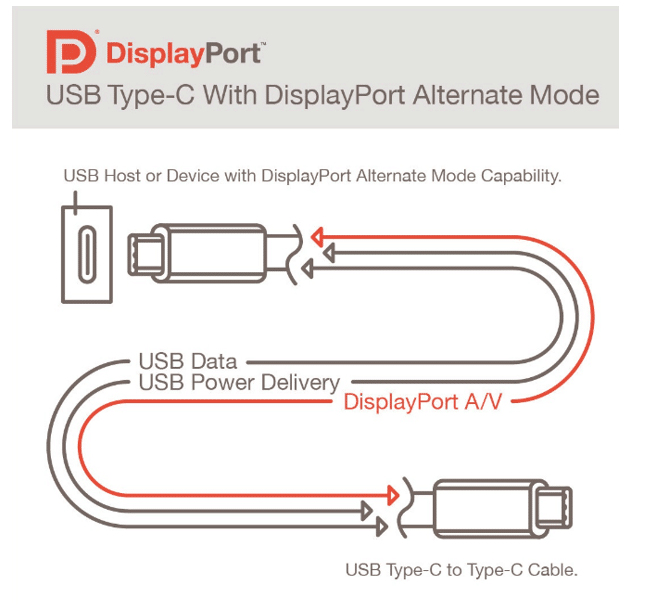
How to Check if a USB-C Port Supports DP Alt Mode — 5 Methods Explained
Quick AnswerNot every USB-C port supports DisplayPort Alt Mode — it depends on the port’s pin configuration and the host controller behind...

DisplayPort Pinout Guide: 20-Pin Connector Functions, Wiring & PCB Layout
A video interface that works on the lab bench can fail in the field for a reason that never appears on a...