
In PCB design, properly laying out SMD tactile switches is crucial for ensuring long-term product stability and reliability. I will outline the key design considerations from the following main aspects: placement and positioning, circuit design, PCB details, manufacturing compatibility, and software coordination.
Placement, Positioning, and Spacing
Reasonable layout is the first step to ensure switch functionality and manufacturability.
- Distance from board edge: To ensure soldering equipment can safely clamp and transport the circuit board during production, switches (and other components) should maintain a certain distance from the board edge, typically at least 7mm. If layout constraints prevent meeting this requirement, consider adding process edges.
- Spacing from other components: Adequate spacing between components is essential for smooth soldering and subsequent repairs. Different types of SMD devices require minimum spacing; for example, chip components or SOT devices should be spaced ≥1.25mm apart, while BGA devices require larger keep-out areas (e.g., 3mm to 5mm). Avoid placing low-profile components directly next to tall components to prevent soldering defects due to uneven heat distribution during reflow or difficulties during rework with a hot air gun.
- Orientation and soldering process: To optimize soldering quality, especially during wave soldering, it is recommended to keep all polarized components (e.g., diodes and polarized capacitors) oriented consistently across the board. The component orientation should also align as much as possible with the PCB’s travel direction in the soldering oven to reduce soldering defects. If the board includes both SMD and through-hole components, try to place them on the same side to simplify the soldering process and reduce costs.
Circuit Design and Signal Integrity
Reliable circuit design effectively prevents false triggering and signal quality issues.
- Pull-up/pull-down resistors: The MCU pins connected to switches should be configured as input mode. Ensure appropriate pull-up or pull-down resistors are configured based on the switch wiring (e.g., normally open switch with one end connected to GPIO and the other to GND or VCC) to prevent floating pins and uncertain logic levels or false triggering. A common configuration is to connect one end of the switch to GPIO and the other to GND, with an internal or external pull-up resistor on the GPIO, ensuring the pin is high when the switch is not pressed and low when pressed.
- Hardware debouncing: Mechanical switches exhibit contact bounce during switching, which may cause the MCU to misinterpret multiple presses. In addition to software debouncing, for high-reliability applications, a simple RC filter circuit (e.g., a 100kΩ resistor and 0.1μF capacitor) can be added to suppress bounce. If the MCU supports it, configuring the GPIO input mode as Schmitt-trigger input can leverage its hysteresis characteristics to enhance noise immunity further.
- Wake-up function and pin selection: If the design involves low-power standby and wake-up via a button, consult the MCU datasheet to confirm which GPIOs support wake-up functionality in low-power modes. Additionally, configure the appropriate interrupt trigger mode (e.g., falling-edge trigger).
PCB Layout and Routing Details of SMD tactile switches
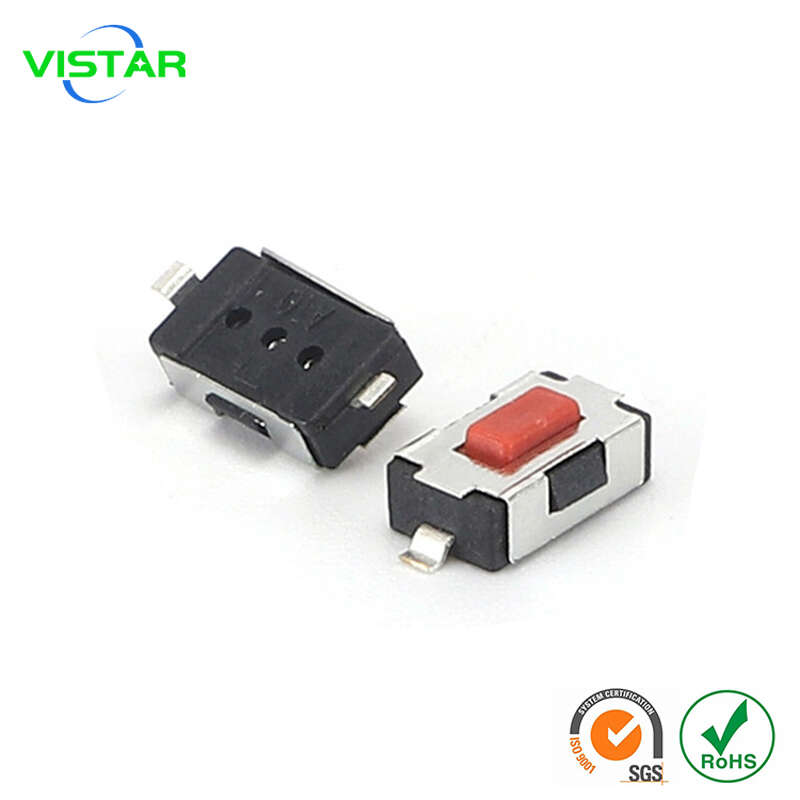
Careful layout and routing improve signal quality and noise immunity.
- Short routing: Signal lines connected to switches (especially those used for interrupts or wake-up) should be as short and direct as possible to reduce antenna effects and minimize noise introduction.
- Away from noise sources: Switch signal lines should be kept away from strong noise sources such as clock lines, high-speed data lines, and switching power supply nodes, maintaining a distance of at least 3mm.
- Ground plane and shielding: Surrounding switch signal lines with grounded copper (Guard Ring) and connecting them to ground via vias can provide additional shielding.
- ESD protection: For switches exposed to the device casing and potentially touched by users, add ESD protection devices such as TVS diodes in parallel with the switch to prevent electrostatic discharge from damaging the MCU.
- Vias and pads: Avoid placing vias directly on switch pads to prevent solder paste from flowing into the vias during soldering, which could cause poor solder joints. Vias should be placed near the pads with a safe spacing of at least 4-8 mils. For connector or switch pads subjected to mechanical stress, adding 1-2 vias can enhance the adhesion between the pad and the PCB.
Design for Manufacturing and Assembly Considerations
Considering production processes during design significantly improves yield.
- Pad design: Strictly follow the pad dimensions and shapes recommended in the switch datasheet, as these directly affect soldering reliability and tactile feel.
- Stencil aperture design: SMD switches are typically soldered using reflow soldering. Design stencil apertures appropriately to ensure adequate solder paste volume and avoid soldering shorts or poor joints.
- Enclosure compatibility: During PCB layout, coordinate with mechanical engineers to ensure precise alignment between the switch and the button position on the enclosure. Allow sufficient space on the PCB to ensure the switch can be pressed smoothly without obstruction, and consider the tactile feel of the button.
Software Configuration Coordination
Hardware design requires close software coordination to achieve optimal performance.
- Interrupt configuration: In the MCU firmware, configure the GPIO connected to the switch as an interrupt input mode. Choose edge-triggered (e.g., falling edge for detecting button press) or level-triggered interrupts based on requirements.
- Low-power management: If using a button to wake the system from low-power mode, correctly configure the wake-up pin and interrupt type before the MCU enters sleep, and properly handle interrupt flags after waking.
Quick Reference: Core Design Points
The table below summarizes the core design points for SMD tactile switch PCB layout:
| Design Aspect | Key Points |
|---|---|
| Placement and Positioning | Maintain safe distance from board edge (or add process edges); ensure sufficient spacing from other components (especially tall or heat-generating ones); consider soldering process requirements for component orientation. |
| Circuit Design | Correctly configure pull-up/pull-down resistors; add hardware debouncing (RC filter) if needed; select GPIOs supporting low-power wake-up functionality. |
| PCB Layout | Keep signal lines short and away from noise sources; utilize ground planes and shielding effectively; add ESD protection; avoid placing vias on pads. |
| Manufacturing and Assembly | Strictly follow datasheet guidelines for pad design; optimize stencil aperture design; coordinate with enclosure design for proper positioning and height. |
I hope these detailed design considerations help you reliably layout SMD tactile switches on your PCB. If you have more specific questions about particular application scenarios (such as ultra-low-power devices or high-reliability industrial controls), I’d be glad to provide further discussion.


