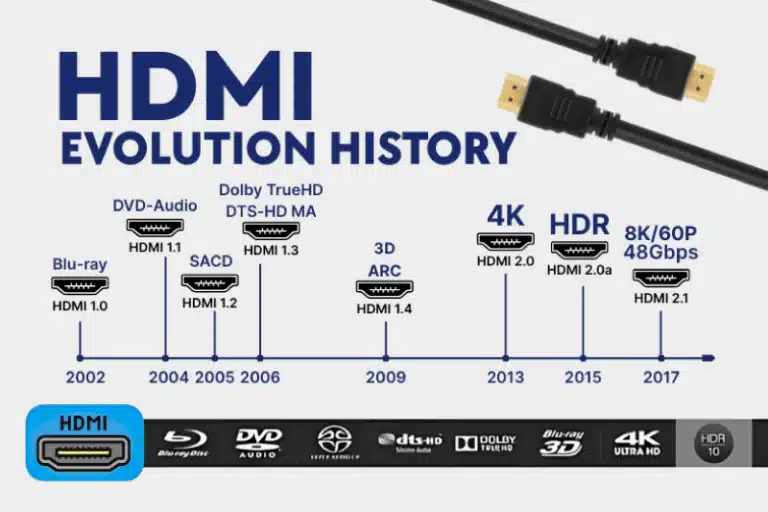
The HDMI 19P connectors each have dedicated roles and work in coordination to enable the single-cable transmission of high-definition audio and video.
To help you quickly grasp the overall concept, the table below details the core functions of each pin in the Type-A HDMI connector.
| Pin Number | Signal Name | Primary Function |
|---|---|---|
| 1 | TMDS Data2+ | Positive leg of the second TMDS differential signal pair. |
| 2 | TMDS Data2 Shield | Shield/ground for the second TMDS signal pair. |
| 3 | TMDS Data2- | Negative leg of the second TMDS differential signal pair. |
| 4 | TMDS Data1+ | Positive leg of the first TMDS differential signal pair. |
| 5 | TMDS Data1 Shield | Shield/ground for the first TMDS signal pair. |
| 6 | TMDS Data1- | Negative leg of the first TMDS differential signal pair. |
| 7 | TMDS Data0+ | Positive leg of the zeroth TMDS differential signal pair (carries audio & auxiliary data). |
| 8 | TMDS Data0 Shield | Shield/ground for the zeroth TMDS signal pair. |
| 9 | TMDS Data0- | Negative leg of the zeroth TMDS differential signal pair. |
| 10 | TMDS Clock+ | Positive leg of the TMDS clock differential signal pair. |
| 11 | TMDS Clock Shield | Shield/ground for the TMDS clock signal pair. |
| 12 | TMDS Clock- | Negative leg of the TMDS clock differential signal pair. |
| 13 | CEC | Consumer Electronics Control channel for device interconnectivity. |
| 14 | Utility / HEC+ (Opt.) | Reserved pin or data line for HDMI Ethernet Channel (HEC). |
| 15 | SCL | I²C clock signal for the DDC channel. |
| 16 | SDA | I²C data signal for the DDC channel. |
| 17 | DDC/CEC Ground | Ground return for the DDC and CEC channels. |
| 18 | +5V Power | Supplies a low-current 5V power rail. |
| 19 | Hot Plug Detect | Hot Plug Detect signal. |

Working Principles of the HDMI 19P Connectors
These 19 pins can be grouped into several functional channels. Understanding how these channels work together is key to grasping how HDMI functions.
TMDS Differential Signal Transmission (Pins 1-12)
This is the “highway” of HDMI, responsible for carrying all audio and video data.
- Differential Signaling Technology: The TMDS channels use differential signal transmission. Each channel (e.g., Data0) consists of a pair of opposite-polarity signals (Data0+ and Data0-). The receiver reconstructs the data by calculating the voltage difference between these two signals. This method greatly suppresses external electromagnetic interference (EMI), ensuring signal integrity over longer distances.
- Encoding Process: Video and audio data are not sent directly. First, each 8-bit data word is encoded into a 10-bit word using a specific algorithm. This process, called 8b/10b encoding, ensures the data stream contains sufficient clock information and balances the DC bias, allowing the receiver to lock onto the clock more accurately.
- Three Data Channels & One Clock Channel: The three TMDS data channels (Data0, Data1, Data2) operate in parallel. Within each pixel clock cycle, they transmit a pixel’s blue, green, and red color difference components along with other auxiliary data. The TMDS clock channel provides a reference frequency to ensure synchronization between the source and receiver.
Device “Handshake” and Communication (Pins 13, 15, 16, 17)
HDMI devices need to “talk” to each other before video playback begins.
- DDC (Display Data Channel): This is a channel based on the I²C protocol. The source device (e.g., a computer) reads the EDID (Extended Display Identification Data) stored in the display device (e.g., a monitor) via the DDC. The EDID contains the display’s capabilities, such as supported resolutions and refresh rates. This allows the computer to know “what the monitor prefers” and output the most suitable video format.
- CEC (Consumer Electronics Control): This is an optional but very useful feature. It allows you to control all connected HDMI devices with a single remote. For example, turning off your TV with the TV remote can simultaneously send a CEC signal to command a connected Blu-ray player and AV receiver to also enter standby mode.
Power and Connection Management (Pins 18, 19)
These two pins handle fundamental but critical logistical tasks.

- +5V Power: The source device supplies a small amount of current (minimum 0.055A) to the receiving device through this pin. This is primarily used to power circuits like the display’s EDID ROM when the receiving device is in standby or powered off, enabling the source device to read the display’s information at any time.
- HPD (Hot Plug Detect): When you plug in an HDMI cable, the display device notifies the source device by pulling this pin’s voltage high, signaling, “Hey, I’m connected!” The source device detects this change and then initiates the aforementioned DDC communication and TMDS signal output. This enables true “plug-and-play” functionality.
Interface Types and Engineering Practices
- Interface Type Differences: Although based on the same standard, the pin arrangements for Mini-HDMI (Type C) and Micro-HDMI (Type D) connectors differ from the standard Type-A connector to accommodate their smaller physical sizes.
- PCB Design Essentials: In actual circuit board design, engineers must adhere to strict rules to ensure the quality of HDMI’s high-speed signals:
- Impedance Control: The characteristic impedance of the TMDS differential pairs must be strictly controlled to 100Ω ±10%.
- Length Matching: The lengths of the two traces within a differential pair (e.g., Data0+ and Data0-) must be as equal as possible, with the length mismatch typically controlled within 5 mils (approximately 0.127 mm) to prevent signal timing skew.
- Ground Shielding: Employ “ground shielding” or “ground pour” around the differential pairs, surrounding them with grounded copper and placing dense ground vias nearby. This effectively isolates crosstalk between different signal groups.
I hope this detailed explanation helps you gain a deeper understanding of how HDMI connectors work. If you are interested in more specific details, such as the deeper principles of TMDS encoding or the evolution of pin functions across different HDMI versions, we can continue to explore.