Today we will explain some word abbreviations, like what is PCB, SMT, SMD, I/O, etc.
What Is PCB?
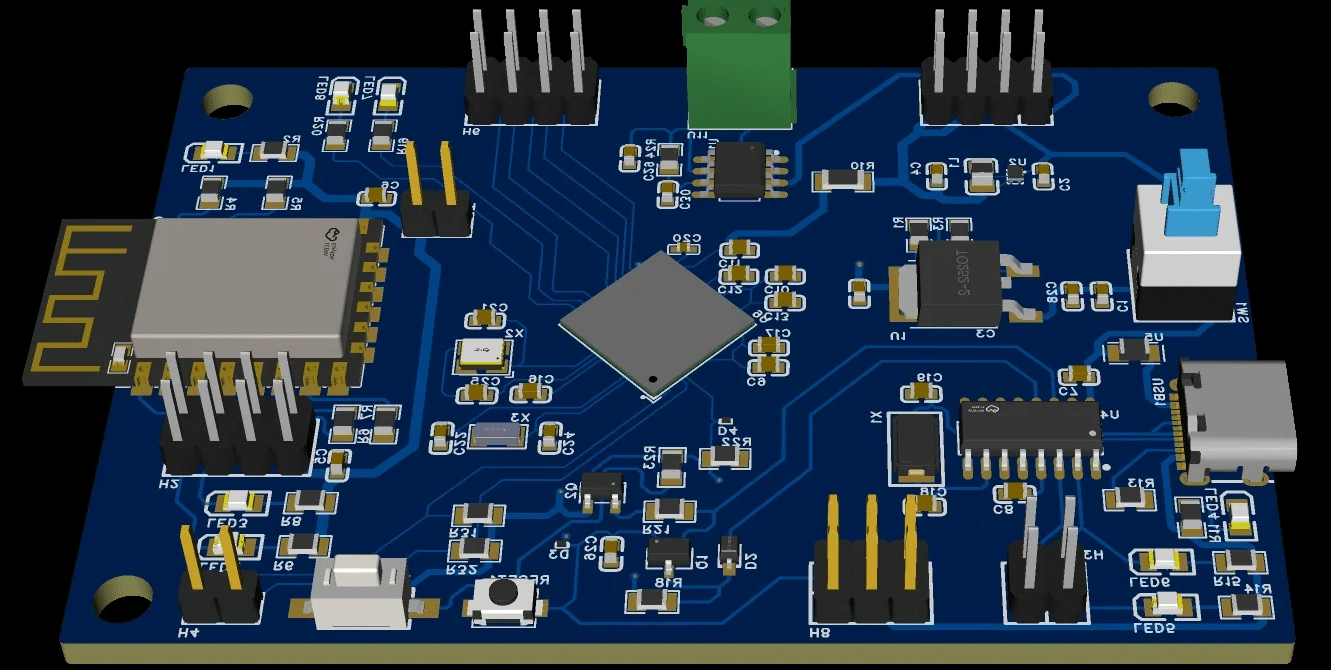
PCB stands for Printed Circuit Board. It is a crucial part of electronic devices and systems, providing the platform for electronic components to be mounted and interconnected. Here are some key aspects of PCBs:
Function:
PCBs serve as the backbone of electronic circuits, providing electrical connections between various components such as resistors, capacitors, and integrated circuits.
Structure: PCBs are made up of multiple layers of conductive tracks, pads, and non-conductive substrates. The conductive layers are typically made of copper, while the substrate can be made from materials like fiberglass, epoxy, or other insulating materials.

Types:
There are several types of PCBs, including:
Single-sided PCBs: These have components and traces on only one side.
Double-sided PCBs: Components and traces are present on both sides of the board.
Multi-layer PCBs: These have multiple layers of conductive tracks and are more complex, allowing for higher component density and more complex designs.
Manufacturing:
PCBs are manufactured through a series of processes, including design, etching, drilling, lamination, and assembly. The assembly process can involve through-hole mounting (THT), where components are inserted into holes and soldered, or surface-mount technology (SMT), where components are placed on the surface of the board and soldered.
Applications:
PCBs are used in a wide range of electronic devices, from small consumer electronics like smartphones and computers to larger industrial and automotive applications.

Design:
PCB design is a critical step in the development of electronic devices. It involves creating a layout that ensures components are correctly positioned and connected, and that the board can be manufactured and assembled efficiently.
Reliability:
The quality and reliability of a PCB are important for the performance and longevity of the electronic devices it is used in. Factors such as material selection, design, and manufacturing processes can affect the reliability of a PCB.
PCBs are an integral part of modern electronics, enabling the miniaturization, functionality, and complexity of electronic systems.
What is SMD?
SMD stands for Surface-Mounted Device, which refers to electronic components that are mounted directly onto the surface of a printed circuit board (PCB) rather than inserted into holes in the PCB. SMD components include a variety of capacitors, resistors, inductors, diodes, transistors, and more. They typically have a smaller size and a flat profile, which facilitates automated assembly.
What is SMT?
SMT stands for Surface-Mount Technology, which is the method used to mount SMD components onto a PCB. SMT allows for high-density assembly, improves production efficiency, and reduces assembly costs. The SMT process typically involves steps such as solder paste printing, component placement, and reflow soldering.
In summary, SMD is the type of electronic component used in SMT assembly, and SMT is the technology used to mount these components onto the PCB.
What is I/O?
I/O stands for Input/Output, and it refers to the communication between an information processing system (such as a computer) and the outside world, including the ways in which data is sent to that system (input) or received from it (output). Here are some key points about I/O:
- Input: This is the data that is fed into a system. For a computer, input might come from a keyboard, mouse, microphone, scanner, or any other device that allows users to interact with the system.
- Output: This is the data that a system produces or sends out. For a computer, output might be displayed on a monitor, printed on paper, spoken through speakers, or sent to another device.
- Devices: I/O devices include a wide range of hardware that can interact with a computer or other systems. Examples include:
- Input Devices: Keyboards, mice, joysticks, scanners, cameras, microphones, and touchscreens.
- Output Devices: Monitors, printers, speakers, headphones, and projectors.
- Ports and Interfaces: I/O operations often involve specific ports and interfaces that allow devices to connect to a system. Common interfaces include USB, HDMI, VGA, and Ethernet.
- Data Transfer: I/O involves the transfer of data between a system and its external devices. This can be done through wired or wireless connections.
- Speed: The speed of I/O operations can significantly affect the performance of a system. Faster I/O allows for quicker data processing and interaction.
- Protocols: There are various protocols that govern how I/O operations are conducted, ensuring compatibility and efficient data transfer between devices and systems.
- Buffering: I/O operations often involve buffering, where data is temporarily stored before being processed or sent out. This can help manage the flow of data and improve system performance.
- I/O Operations in Computing: In computer programming, I/O operations are a fundamental aspect of interacting with files, databases, networks, and other systems.
- I/O Bottlenecks: If the I/O operations are slower than the processing speed of a system, they can become a bottleneck, limiting the overall performance.
Understanding I/O is essential for designing and optimizing systems that require efficient data exchange with the outside world.