
USB4 vs Thunderbolt 4 can share the USB-C physical interface because they both use the same underlying protocol foundation and channel negotiation mechanisms, but they have significant differences in performance standards, feature completeness, and certification requirements.
The Basis of Shared Physical Interface
USB Type-C is merely a physical interface form, its core lies in the internal multiple pairs of high-speed signal channels (Lanes). Through a mechanism called Alternate Mode, it allows these physical channels to be dynamically negotiated and utilized by different data protocols.
Both USB4 and Thunderbolt protocol data can be transmitted through the USB-C channels in this way.
Shared Mechanism at the Protocol Layer
At the protocol layer, USB4 vs Thunderbolt 4 share a data encapsulation technology called “tunneling”. You can imagine it as a “data express delivery system”:
- Unified Encapsulation: An “adapter” in the system will package raw data packets from different protocols (such as PCIe, DisplayPort, USB3) into standard “tunneled data packets”.
- Routing and Transmission: Then, a “router” sends them out through the USB-C physical channels.
- Unpacking and Distribution: The receiving system then unpacks the data and distributes it to the corresponding protocols.
The USB4 specification was developed based on Intel’s open-sourcing of the Thunderbolt 3 protocol. Therefore, the two are fundamentally similar in their underlying transmission logic.
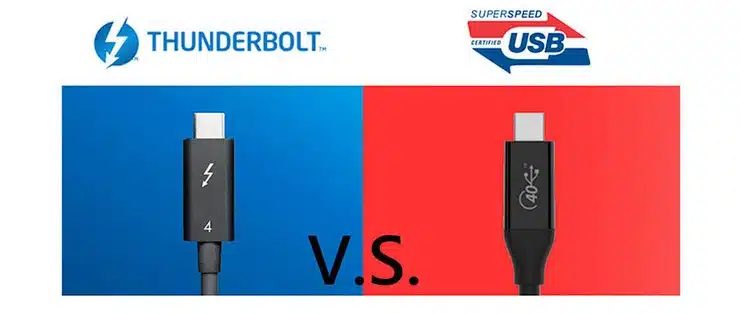
Core Differences Comparison
Although they share a common origin, many high-performance features in USB4 (especially compared to Thunderbolt 4) are “optional,” while Thunderbolt makes them “mandatory,” leading to differences in actual user experience. The table below clearly summarizes their main differences:
| Feature | USB4 | Thunderbolt 4 |
|---|---|---|
| Minimum Performance Guarantee | Optional support for 20Gbps or 40Gbps | Mandatory requirement of 40Gbps |
| Video Output | Supports single display output (no minimum mandatory resolution) | Mandatory support for at least two 4K displays |
| PCIe Support | Optional support | Mandatory support for PCIe (for high-speed external graphics cards, storage) |
| Minimum Power Delivery | 7.5W (for accessories) | 15W (for accessories) |
| Security and Features | No requirement for DMA protection, wake-up function, etc. | Mandatory requirement for DMA protection (against hardware attacks), wake-up function, etc. |
| Cable Support | Ordinary passive cables longer than 0.8 meters usually cannot guarantee 40Gbps | Certified passive cables can guarantee 40Gbps within 2 meters |
| Certification and Experience | No mandatory certification required, product performance and functionality may vary significantly | Must pass Intel’s rigorous certification, ensuring consistent high performance and compatibility |
How to quickly distinguish them
You can identify them by the physical markings next to the device interface:
- USB4: Usually marked with “SS” plus a number (e.g., “40”) or the word “USB4”.
- Thunderbolt: Marked with a lightning bolt symbol.
How to choose
After understanding these differences, you can make a decision based on your core needs:
- Choose Thunderbolt 4/5 if: You need reliable, consistent high performance, such as connecting multiple 4K/8K displays, using high-speed external graphics cards or NVMe SSD arrays, or requiring long-distance (1-2 meters) cables without speed degradation. It provides a “full-fledged” experience, especially suitable for professional creative work, high-end gaming, or scientific computing.
- USB4 may be sufficient if: Your needs are for everyday general connections, such as connecting a single 4K display, using ordinary external hard drives, or charging your laptop. When choosing, be sure to carefully check the product specifications to confirm the actual supported speed (whether it’s 20Gbps or 40Gbps) and features, as there are significant differences between different products.
If you still have no idea to choose one of them, this video says ” How to Determine if Systems have USB4 or Thunderbolt4 | IT Tech Tips” may be helpful.
If you can share what devices you primarily intend to connect using this interface (such as how many monitors and their resolutions, or high-speed external hard drives, or docking stations), I can give you more specific recommendations.


